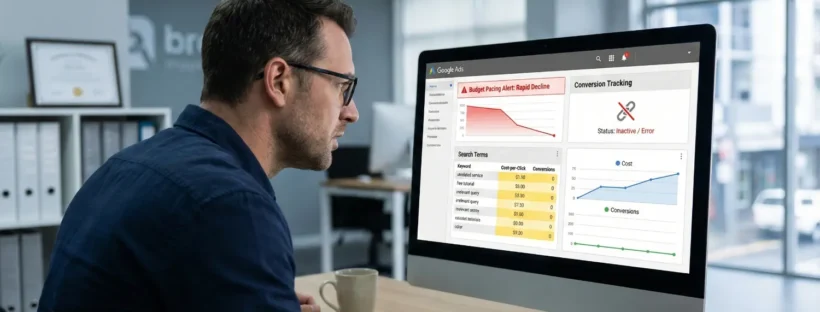
Google Ads can burn through your budget fast if you don’t know where the leaks are. Poor tracking, bad keyword choices, and a few forgotten settings are enough to drain your ad spend before a single lead comes through.
We’ve managed Google Ads for Australian businesses here at SlamStop since 2017. And after auditing hundreds of accounts, we’ve noticed that a list of the same mistakes kept showing up.
In this guide, we’ll cover:
- Why broken conversion tracking wastes more money than anything else
- The negative keyword gaps that attract junk clicks
- Keyword targeting errors that hand your best traffic to competitors
- Campaign settings you probably forgot to check
- How weak ad copy and landing pages push your costs up
Read on to learn how to fix each problem.
Why Most Google Ads Budgets Get Wasted
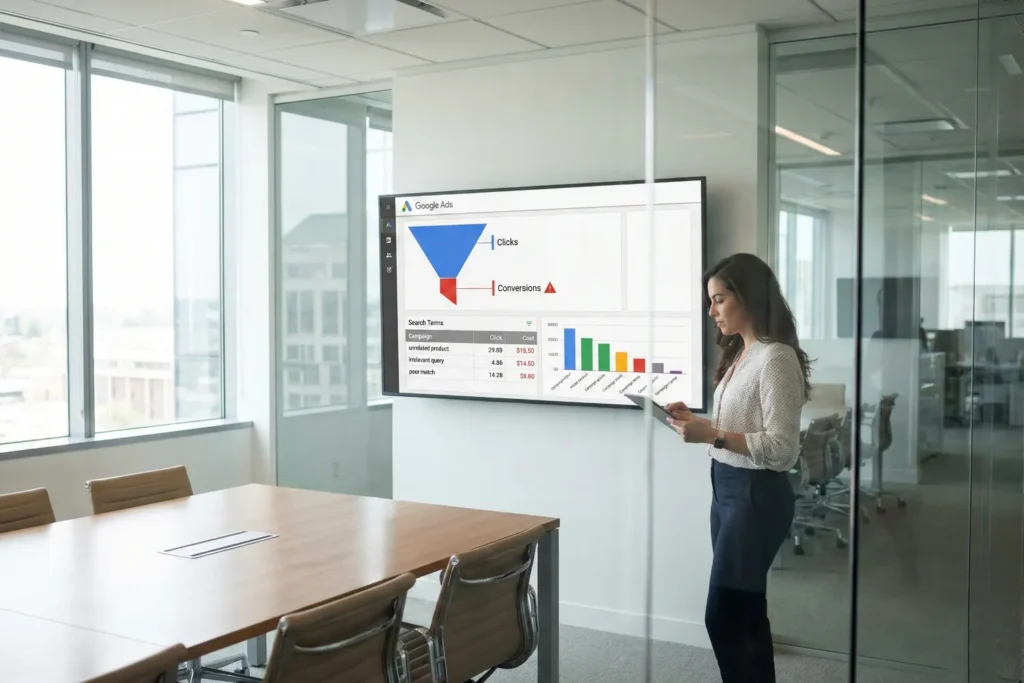
Google Ads budgets get wasted when tracking is broken, negative keywords are missing, and search terms go unreviewed. These three issues drain more ad spend than any bidding strategy or keyword choice. And the frustrating part is that you can fix every one of these issues once you know where to look.
We’ll explain the three reasons below.
Conversion Tracking Is Missing or Misconfigured
One of the most common issues we see in small business Google Ads accounts is missing or misconfigured conversion tracking. It’s similar to driving from Brisbane to Cairns without a fuel gauge. You’ll keep moving, but you won’t know when you’re about to run dry.
In other words, you can’t see which clicks have converted into customers without tracking. For example, you might get 200 clicks in a month and 10 sales, but you wouldn’t know which keywords or ads drove them. This way, you’re forced to guess instead of knowing what’s actually working.
Not only that, but we’ve also seen accounts tracking “page views” as conversions. When that happens, Google focuses on views instead of leads.
To fix this issue, you must track real business actions like form submissions, phone calls, and purchases.
Pro tip: Implement a tracking system for call conversions to understand the impact of phone leads on your business.
Negative Keywords Are Not Set Up
Negative keywords protect your ad budget from clicks that will never convert. The moment you skip these keywords, your ads show up for searches that have nothing to do with what you sell.
Why does that happen, though? Well, Google Ads defaults to broad matching, which means your ads can appear for loosely related searches. Like, a plumber targeting “blocked drain Sydney” might pay for clicks from “drain cleaner Bunnings” or “how to unblock a drain yourself”.
The traffic may look good without negative keywords, but your conversions? Not so much. That’s why we recommend adding negative keywords weekly to plug this leak before it drains your budget.
Search Terms Reports Go Unchecked
The search terms report shows every query that fired your ads last week. But it’s sad that most advertisers never even open it, and it’s a huge mistake. It’s because this report tells you exactly what people typed before clicking (seriously, it’s like free market research).
And when you check those queries, some of them will make sense, while others will have you wondering why Google matched them at all.
Still, you need to make it a habit to check search terms reports weekly. You’ll spot negative keywords to add and find new terms worth targeting there. Your campaigns will get sharper gradually, and your budget will stretch further.
Which Keyword Targeting Mistakes Cost You Money?

Keyword targeting mistakes waste money through irrelevant clicks and missed opportunities. If your match types are wrong, Google shows your ads to people who were never going to buy.
At the same time, if you don’t add your best-performing search terms as keywords, you lose control over where that traffic goes.
Let’s get into more details about the mistakes we mentioned here.
Broad Match Without Smart Bidding
Did you know that broad match can show your ads for searches barely related to your product? When you use that setting, Google takes liberties with your keywords and matches them to queries it thinks share similar intent.
That’s not always a bad thing. But when you pair broad matches with manual bidding, things go sideways. This is when Google has no conversion data telling it which clicks are important, so it treats every search the same (no data means no smart decisions).
You end up paying for traffic that looks decent in reports but never turns into revenue.
The solution is to pair broad matches with Target CPA instead. That way, the algorithm chases conversions rather than just clicks.
Useful tip: Start with broad match only for high-performing keywords that already generate conversions to minimise risk.
Not Adding Top Search Terms as Keywords
If you add top search terms as exact match keywords, it’ll keep your best traffic in your search campaigns. However, skipping this step will hand over control to Google.
Here’s what we mean. When a converting search term isn’t saved as an exact match keyword, Google picks which campaign serves the ad. More often than not, Performance Max wins that auction, and it tends to convert lower than a focused search campaign.
So, don’t forget to check your search terms report every month. When you find what’s working, add it as an exact match keyword. This small habit will help protect your best traffic.
What Campaign Settings Drain Your Ad Spend?

Campaign settings drain your ad spend when defaults are left unchecked, and Google controls your account. Many people set up a campaign and never revisit the settings. That’s when the budget starts leaking in places you wouldn’t expect.
Here are four settings that eat into your ad spend:
- Wrong Bid Strategy: Manual CPC ignores your conversion data, which means Google treats every click the same. This is how you continue paying for low-quality traffic and missing clicks that actually convert. If your tracking’s set up, switch to Target CPA instead.
- Auto-Apply Recommendations: Google can add keywords and change your bidding without asking. Many advertisers don’t notice it until unfamiliar keywords show up in their account. To stay in control, turn this off and review recommendations yourself.
- Display Network Left On: New search campaigns have the Display Network ticked by default, which means your text ads can show as banners across unrelated websites. For example, a local accountant bidding on “tax return help” doesn’t need their ad appearing on a gaming forum.
- Wrong Location Targeting: The default “presence or interest” setting shows your ads to people outside your service area. That means a Perth physio clinic could pay for clicks from someone in Melbourne just browsing. For local businesses, we recommend switching it to “presence only” to keep ads focused on nearby customers.
These adjustments help keep your campaigns focused and predictable.
How Do Ad Creative and Landing Pages Affect Results?
Ad creative and landing pages impact your results by affecting Quality Score, click rates, and conversions. Google tracks how users respond to your ads and what they do after clicking. If either part underperforms, you pay more for less.
We’ll now take a closer look at these areas.
Generic Ad Copy That Doesn’t Match Search Intent
Would you click an ad that doesn’t match what you just searched for? Most people won’t. Rather, your ad copy needs to reflect what the searcher is looking for.
For instance, if someone types “emergency plumber Brisbane”, they want to see those words in the headline. Generic phrases like “Quality Services You Can Trust” won’t work here.
Strong ad relevance also lowers your cost per click. More specifically, Google rewards ads that match search intent with better placements and cheaper clicks. We advise our clients to test different headlines regularly to see which ones get the best results.
Missing Ad Extensions

Ad extensions give your ads more space on the search results page at no extra cost. They make your listing bigger and more clickable than competitors who skip them.
In particular, sitelinks, callouts, and structured snippets all add value. A sitelink can push users straight to your booking page, and a callout can emphasise free quotes or same-day service. These small extra elements can improve your click-through rates without touching your budget.
Pro tip: Add ad extensions to every campaign and review them quarterly.
Traffic Goes to the Homepage
When you send ad traffic to your homepage, visitors have to search for what they want. Most of them won’t bother and will leave to click on a competitor instead (that’s a bounce, by the way).
Instead, each ad group needs a dedicated landing page that matches search intent. Like, if your ad promises “roof repairs in Melbourne”, the landing page should be about roof repairs in Melbourne and not your full services list.
Based on our experience, this single change increases conversion rates more than any bidding tweak.
Low Quality Score from Poor Page Experience
Many people don’t realise that once visitors land on your page, Google tracks their behaviour. Slow load times and poor mobile layouts drive users away quickly, which impacts your Quality Score.
And a low score means you’ll pay more per click and your ads will show less often. Why? Because Google penalises pages that frustrate users.
So, what you need to do is start by fixing your page speed. Compress images, remove unnecessary scripts, and test on mobile. Keep in mind that faster pages convert better and are cheaper to advertise.
What to Do Next With Your Google Ads Mistakes
That’s it for our guide on common Google Ads mistakes. You now know that broken tracking, missing negative keywords, and bad campaign settings can drain your budget before you see a single lead.
The fixes aren’t complicated, though. Just set up proper conversion tracking, add negative keywords each week, and check your search terms report. Also, go through your campaign settings and turn off any defaults that aren’t working for you.
If you’d rather have experts handle it, get in touch with us for a free account audit. We’ve been helping Australian businesses get more from their Google Ads since 2017.