When Businesses Should Consider Google Ads for Immediate Search Visibility

Businesses should consider Google Ads when they need immediate search visibility, such as during a launch, a seasonal peak, or a move into a new market. Paid search puts your offer in front of people who are already typing what you sell into Google.

Organic rankings still pay off, yet they rarely bring enquiries in the first few months after a launch or expansion. That gap is where you lose momentum. Competitors keep bidding on your customers while your site slowly works its way up the results page.

This guide covers the auction behind every click, the ad formats worth your budget, and where search marketing sits besides your other channels. All three decide how fast your budget earns enquiries.

How Do Google Ads Work for Businesses That Need Fast Results?

Small business owner leaning forward at their home desk with one hand

Google Ads works by entering your ad into an auction each time someone searches for your chosen keywords. Many owners still call it Google AdWords, its name before 2018. The platform ranks each ad and chooses which ones appear above and below the organic listings. Three parts of that system set your speed, your position and your spend.

The Pay-Per-Click Auction Behind Every Search

Google runs a fresh auction each time a search matches keywords that advertisers have bid on. The whole process finishes in a fraction of a second as the results page loads. Google then gives each ad an ad rank for that single search. Your maximum bid, ad quality, ad assets and the search context all feed into that rank.

This means the highest bidder doesn’t always win the top spot on Google Search. A plumber bidding $4 with a clear, relevant ad can outrank a franchise bidding $7 with vague copy that doesn’t match the search.

You only pay when someone clicks, so impressions nobody touches cost you nothing. That is the pay-per-click model in plain terms, and the bill usually lands below your maximum bid amount.

Why Small Businesses See PPC Advertising Results Within Days, Not Months

Paid ads skip the ranking queue that SEO works through over months. Your first campaign can go live the same day once Google approves your ads, which usually takes less than one business day

After about two weeks, your data shows which search terms bring enquiries and which ones waste budget. From there, pause the weak keywords and shift the spend towards the terms that produce calls. You can also add negative keywords, which stop your ads from showing for searches you don’t want. Tight match types help from day one, as they limit which searches your ad appears for.

We’ve run accounts for trades and retailers around Brisbane, and some booked their first job within 48 hours of launch. That kind of speed makes Google Ads useful during a busy season, when organic results often arrive months too late.

What a Google Ads Account Costs to Set Up and Run

Opening a Google Ads account is free. Your real costs are the clicks you pay for, the time spent writing ads and any management fees.

Across Australia, most service keywords clear between $2 and $9 per click, while legal and insurance terms run much higher. A $1,000 monthly budget buys roughly 150 clicks in a mid-priced trade category. Your daily budget controls how fast Google spends that money, while your bidding strategy guides where each dollar goes.

Many owners tell us the first fortnight feels like paying for a learning curve, and they’re right. Google needs those early clicks to learn which searches convert. Set aside part of your first month’s budget for this testing phase so it doesn’t catch you off guard.

Google Ads Campaign Types Compared

Young professional at a coffee shop holding a smartphone in one hand

Once the auction maths makes sense, your next choice is the ad format. Many businesses start with the wrong one and spend their budget before a single lead arrives. The format you choose controls who sees your ad and at what stage of their search. Compare four core options side by side before you commit a dollar.

FormatWhere ads appearBest for
Search campaignsTop of the Google Search NetworkDemand that already exists
Display campaignsGoogle Display Network sites and appsRemarketing and brand awareness
Video campaignsYouTube, before and during videosShowing a product in use
Shopping campaignsGoogle Shopping, with price and imageOnline stores with product feeds

Verdict: Start with search campaigns while the demand is there, then widen out once conversion data arrives. Running all four from day one spreads a small budget so thin that no campaign gathers enough data to judge.

How Quality Score Affects Your Cost Per Click

Web developer at their desk leaning back in their chair

Quality Score is Google’s rating, from 1 to 10, of how useful your ads and landing pages are for a keyword. Google weighs the same signals in every auction, so a strong score often means cheaper clicks and better positions. Here are the three factors behind each rating and where to start improving them.

  • Expected Click-Through Rate: Google predicts how often searchers will click your ad, based on its past performance. A low prediction suggests your offer isn’t connecting, and you pay more to hold the same position.
  • Ad Relevance: When your headline repeats the exact phrase someone typed, relevance climbs and your cost per click drops. Grouping a small set of closely related keywords in each ad group keeps that match tight.
  • Landing Page Experience: Send traffic to a dedicated page that answers the search and loads in under three seconds, rather than to your homepage. Google Analytics shows which pages lose visitors inside the first ten seconds. Speed and relevance lift your conversion rate as well as your score.

Tip: In the accounts we manage, lifting a keyword’s score from 4 to 8 has cut its cost per click by roughly a third. We test this on one keyword before changing the rest (results vary by industry). Fix the landing page before you raise bids, because a higher bid won’t repair a mismatch between the search and your page.

How Google Ads Fits With SEO and Your Other Channels

Now that you know what drives ad costs, let’s look at where paid search sits besides SEO. Paid ads buy a place at the top of the results page today. Organic work earns that space over 6 to 12 months, and while you don’t pay per click, it still costs time and content. Running both holds two positions on one page and shows which keywords deserve long-term content.

Paid search isn’t the only Google Ads option worth running besides SEO. Display banners appear across millions of websites and apps, and they work best for remarketing to people who already know you.

Someone who viewed your pricing page but left without enquiring often costs less to reach again than a brand-new visitor. A remarketing ad reminds them about your offer, so you don’t have to chase every lost lead yourself (we see this pattern in nearly every retail account).

On top of that, conversion tracking adds the proof. It links each sale or enquiry back to the keyword that earned it, so your spend follows evidence instead of hunches. Clicks alone say nothing about revenue, conversion rates or return on ad spend (ROAS). Set up tracking before your first campaign goes live.

With tracking in place, treat online advertising as one channel besides your email, social and referral work. Many businesses we work with split the spend about 60/40 between search and other channels, then adjust as results come in.

Ready to Show Up at the Top of Search Results?

Google Ads puts your business in front of searchers on the day you need it, rather than months later. The auction rewards relevance, so tight keywords and well-matched landing pages often beat bigger budgets. That gives smaller businesses a fair shot against larger competitors.

Pick one format, set a budget you can defend for 90 days, and measure enquiries rather than clicks. Review those numbers weekly and adjust before the month’s spend disappears.

SlamStop builds and manages paid campaigns for businesses that need visibility now. Contact the SlamStop team to map your keywords and get your first Google Ads campaign live within days.


reduce your Cost-Per-Click (CPC)

How to Reduce Ad Costs Without Losing Conversions

You can reduce your Cost-Per-Click (CPC) by improving Quality Score and using better keyword targeting.

Sustainable results come from a balanced approach that combines stronger relevance with careful bid adjustments. It allows you to get more clicks from the same budget and supports stronger conversion performance.

If that sounds confusing, don’t worry. Here at SlamStop, we help businesses reduce their Google Ads costs while still keeping the conversions consistent. We simplify your campaigns so your ads reach the right people at the right time.

In this blog, we’ll walk you through how to reduce CPC through keyword optimisation. We’ll also share bidding strategies and how to analyse performance data.

Read on to learn how to stop overpaying for clicks.

How Do You Lower Your CPC in Google Ads?

You lower CPC by focusing on relevant keywords, cutting wasted spend with negative keywords, and improving your ads. Since these tactics support each other, the best idea is to combine them instead of relying on just one change.

How Do You Lower Your CPC in Google Ads

Here are the strategies to reduce your CPC:

  • Long Tail Keywords: Broad match keywords can trigger irrelevant searches that waste budget. For example, someone searching “women’s trail running shoes size 8” is more likely to buy than someone searching “shoes”, so search volume drops but conversion rates improve.
  • Negative Keywords: Check your search terms every week to detect wasted ad money. We’ve seen how a plumber targeting “emergency plumbing Sydney” often appears for “plumbing courses” or “plumbing jobs”. So you should add those terms as negative keywords to avoid losing money.
  • Quality Score: Google scores ad relevance, expected Click-Through-Rate (CTR), and landing page experience from 1 to 10. When you improve these scores, ads often cost less because Google prioritises higher-quality adverts that create a better experience for users.
  • Landing Page Match: If your ad mentions “free shipping on orders over $50”, that message should appear clearly above the fold on your landing page. When messages don’t match, users leave quickly, which can negatively affect Quality Score over time.
  • Assets: Since you’re already paying for the click, you should give searchers more reasons to choose your ad. We recommend using sitelinks and callouts because they can increase visibility on search engine results pages.

These tactics create more efficient Google Ads campaigns that cost less while delivering higher-quality traffic.

What Bidding Strategies Reduce CPC?

Bidding strategies that reduce your cost-per-click include manual CPC and automated bidding with maximum CPC limits. The best option for you between them depends on how much conversion data you have and how much control you want over your bids.

Let’s get into more detail about these bidding strategies.

Set Maximum CPC Limits on Automated Bidding

Some campaigns can see CPC rise well above the average, for which many people rely on automated bidding. But there’s a problem with this strategy. Google may bid higher when it predicts a strong chance of conversion, and it can sometimes result in paying a lot more for a click than usual.

The solution is to use portfolio strategies. They let you limit your maximum CPC on Target ROAS or Target CPA campaigns.

For example, if your average CPC is $3, you can set your max limit between $9 and $15. It gives the algorithm room to bid up for high-value clicks while protecting you from budget-draining spikes.

Try Manual CPC for New Campaigns

New campaigns usually lack enough conversion data for automated bidding to work well. While there’s no fixed minimum, these systems perform better once more data is collected. Until then, manual bidding helps you control costs and avoid overspending early on.

Try Manual CPC for New Campaigns

Now, to set up manual CPC, you need to check which keywords bring conversions at a reasonable cost each week. Then increase your bids by 10 to 20 per cent on those terms (it’ll prevent runaway bid escalation).

As a rule of thumb, you can switch to automated bidding once you’ve got consistent conversion volume (often around 30-50 in recent weeks). The algorithm finally has enough information to optimise properly.

Here’s a quick comparison table to give you a better understanding of available bidding strategies:

Bidding Strategy

Best For

Control Level

When to Use

Manual CPC

New campaigns, testing

Full control

Limited conversion data

Automated with Max Limits

Mature campaigns

Controlled automation

Prevent cost spikes

How Do You Use Performance Data to Cut Costs?

You can cut costs by looking at what’s actually working in your data and then adjusting bids for the right times, locations, and devices. This way, you spend more on what works and less on what doesn’t.

We’ll explain how to use your performance data correctly.

Adjust Bids by Time and Day

Did you know your conversion data shows which hours and days deliver the best results? For instance, you might be paying for clicks at 2 AM when no one is buying, while missing peak hours when your target audience is actively searching.

So, take a look at your “When and where ads showed” report to find your best-performing time slots. If conversions cost $45 between 11 PM and 6 AM but only $28 during business hours, you’re ultimately wasting money.

That’s why we recommend actively decreasing bids during low-performing times to reduce wasted spend and increasing them when conversion rates are the highest.

Target High-Converting Locations

Location reports show which areas deliver the best cost per conversion. To give you an idea, a Sydney campaign might find that North Sydney converts at $32 per lead while Parramatta costs $58. Same city and same ads, yet you’re seeing a completely different performance.

Here’s what you need to do: adjust your bids down for locations with high CPC but low conversions. Honestly, you don’t need to exclude these areas entirely. Just reduce what you’re willing to pay.

Also, don’t forget to focus your budget on regions where your target audience actually converts. Spending money evenly everywhere is how many companies lose their budgets, which we see frequently in our audits.

Pro tip: Apply smaller bid changes first, then measure impact over at least two weeks before scaling.

Optimise for Best-Performing Devices

Device performance can differ a lot across phones, desktops, and tablets, so results aren’t always the same. In many cases, people research on mobile but wait until they’re on a desktop to complete a form or enquiry.

Optimise for Best-Performing Devices

As an example, someone might be researching lawyers on their phone during lunch. However, they often wait until they’re home on a desktop before submitting a contact form.

What can you do then? Well, check device performance weekly and adjust bids based on conversion rates and cost per conversion. In our experience, if mobile brings cheap clicks but desktop converts at twice the rate, increasing desktop bids by 15 to 25% is usually enough.

Your Next Steps to Lower Ad Spend

We’ve reached the end of our guide on reducing CPC without losing conversions. You now know that Quality Score improvements and negative keywords deliver quick wins, while bidding strategies give you long-term control over costs.

Remember that you don’t need to do everything together. Start small by checking your search terms for one week, then add negative keywords the next to stop wasted clicks. After that, review your Quality Score and fix anything hurting your ad rank.

And if you want the expert to optimise your Google Ads campaigns, don’t hesitate to contact us at SlamStop. Our team will help you cut costs while maintaining conversions.

Google Ads 2026

Why Google Ads Is Still One of the Fastest-Growing Channels in 2026

Google Ads is still one of the fastest-growing digital marketing channels in 2026 because it captures high-intent search traffic from people actively looking to buy what you sell. The platform delivers results in days, which is why businesses keep coming back to it.

We’ve been managing Google Ads campaigns for years at SlamStop. So we understand why some businesses succeed financially while others waste resources.

In this article, we’ll cover:

  • Why Google Ads still delivers fast growth
  • Google Ads changes in 2025
  • How small businesses compete and win with Google Ads
  • When you should avoid Google Ads entirely

Ready? Let’s begin.

Why Is Google Ads Still One of the Fastest Growth Channels?

Google Ads remains one of the fastest-growing channels, as it targets people who are looking to purchase from you immediately. It places your business in front of them at the exact moment they are searching, and it leads to quicker sales.

Why Is Google Ads Still One of the Fastest Growth Channels?

Here are the four main reasons why companies keep using Google Ads:

  • High Purchase Intent: People search on Google when they need to buy something now. For instance, someone typing “emergency plumber Brisbane” isn’t browsing casually. Rather, they’ve got water flooding their kitchen and need help within the hour.
  • Immediate Results: If you launch your first ad campaign on Monday morning, you’ll see website visitors clicking through and generating leads by lunchtime. This quick impact is important for small businesses to test new markets and increase brand awareness without waiting six months for organic traffic.
  • Conversational Search Reach: We’ve seen that voice search has changed how people find businesses. Instead of typing short phrases, they now ask full questions on their phones, like “Where can I find fresh sourdough near me?” Google’s AI automatically shows your digital advertising for these natural and spoken searches.
  • Cost-Effective Targeting: The average cost per click rose in 2025, though not for everyone. Specifically, advertisers who use signal-driven targeting pay less. That’s because Google analyses behaviour and location data to reach the right target audience instead of wasting ad spend.

When KW usage aligns with intent and timing, Google Ads becomes a consistent growth channel.

What Changed in Google Ads During 2025?

Google Ads moved from manual control to AI-driven automation across every campaign type during 2025. This is when this platform stopped treating artificial intelligence as an optional helper and made it the foundation of how initiatives work. And advertisers who adapted early gained a competitive edge over those who resisted this change.

We’ll explain these important changes now.

AI Now Drives the Entire Platform

Automation now handles campaign optimisation over all paid traffic campaigns automatically. You set your budget and conversion goals, and then the system does all the work based on your input.

For example, the AI adjusts bids hundreds of times per day based on which clicks are most likely to convert. It responds to competition changes, time-of-day shifts, and user behaviour patterns faster than you could manually (no need to worry about missed auctions anymore).

Once you’ve set up your campaign, you just need to track its performance through AI-powered insights in Google Analytics. The goal here is to find out which automated adjustments actually work well for your business.

Key 2025 Platform Updates

Four major updates changed how Google Ads will deliver results in 2026. In particular, one of the biggest shifts came from AI Overviews, which place ads inside AI-generated answers at the top of search results instead of just below them.

Another important shift is the increased use of AI-powered audience signals. Instead of relying solely on typed keywords, Google Ads now uses a combination of signals like location, device type, search behaviour, and intent patterns to better match ads with potential customers.

At the same time, Performance Max continues to play an important role. It delivers ads through Search, YouTube, Display, Gmail, Discover, and other Google properties from a single campaign. It also comes with improved reporting and controls now.

Finally, measurement and conversion tracking tools, including Enhanced Conversions, improve how accurately results are attributed and track campaign performance. This accuracy comes from securely using first-party data, which also helps guide better bidding and optimisation decisions.

Take a quick look at this table to understand what these updates mean for you:

Update

What It Does

Impact on Your Campaigns

AI Overviews

Integrates ads into AI-generated search results

Your ads can appear higher and more prominently in search

AI-Powered Audience Signals

Uses intent and behaviour data beyond keywords

Reaches relevant users you may miss with keywords alone

Performance Max

Runs digital ad campaigns across multiple Google platforms

One campaign delivers broad, automated reach

Enhanced Conversions

Improves conversion measurement using first-party data

More accurate tracking and smarter bidding decisions

First-Party Data Replaced Third-Party Cookies

With privacy changes and browser restrictions on third-party tracking, first-party data has become more important for advertising. Browsers, including Safari and Firefox, block many third-party cookies for this reason.

So, you now need to collect your own data. That means you have to grab email addresses and track user behaviour through signup forms, purchase history, and activity on your site.

How Do Small Businesses Win With Google Ads

Google Ads’ Enhanced Conversions uses this hashed first-party data. And the best part is that it improves your tracking accuracy without breaking any privacy rules.

How Do Small Businesses Win With Google Ads in 2026?

Small businesses do better with Google Ads marketing campaigns when they focus their budget on one proven offer and build data before scaling. In other words, success comes from testing one idea properly rather than testing everything at once.

Consider the steps below to get the best outcome from Google Ads:

  • Focus on One High-Margin Offer: Many small businesses waste money by trying to advertise everything at the same time. For example, a bakery promoting bread, cakes, catering, and subscriptions can’t clearly see what works. Instead, it’s better to start with the most profitable product, where the margins can easily cover ad costs.
  • Start with Search Campaigns First: Search ads reach people who are ready to buy straight away. Like, someone searching for “emergency electrician Fortitude Valley” needs help immediately and will likely contact the first business they see. For this reason, it’s best to focus on search before spending money on display or social ads.
  • Use Customer Match for Repeat Buyers: We recommend uploading your existing customer list to create retargeting campaigns at a fraction of new customer costs. Last year, a landscaping company we worked with successfully targeted the previous year’s clients with spring cleanup offers for pennies on the dollar.
  • Set Sustainable Daily Budgets: You’ll need to keep your ad budget consistent, since Google’s AI needs a steady flow of data to learn which audiences convert. That’s why if the budget is too small, the system can’t optimise properly. So, most small businesses need a meaningful daily budget to see real results.

Without thoughtful keyword usage, even well-structured campaigns can struggle to scale.

When Should You Avoid Google Ads?

You should avoid Google Ads if your profit margins can’t support pay-per-click (PPC) costs or your budget is too small to test properly. In those cases, paid ads usually don’t work well. Sometimes, the wiser choice is to wait until your business fundamentals improve.

Let’s get into more detail about the reasons.

Tight Profit Margins

Pay-per-click advertising only works with healthy profit margins. In our experience, a cafe selling $5 coffees can’t afford $3 clicks to get someone through the door when most customers buy one drink and leave.

That’s why you must calculate your profit margins to see if you can handle typical click-through rates (CTR) first before launching any campaigns. Otherwise, you’ll just burn through your budget without ever breaking even (CTR can never rescue bad margins).

Pro tip: Use exact match keywords first to avoid paying for exploratory or low-intent searches.

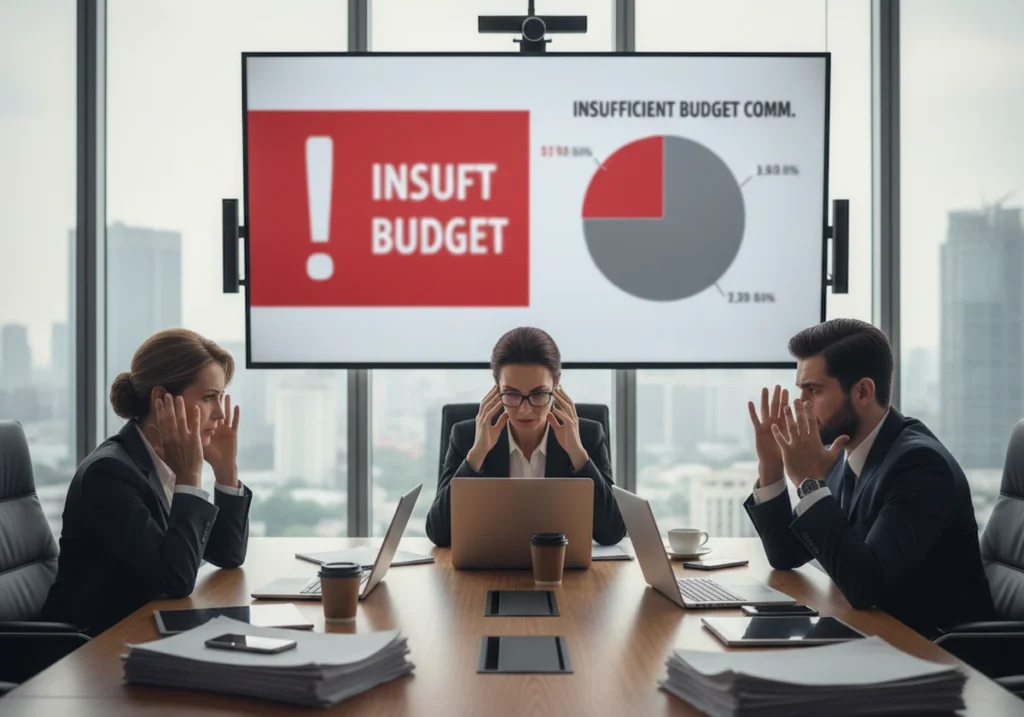
Insufficient Budget Commitment

If you test your ads with a minimal daily budget, it won’t allow Google to collect enough campaign performance metrics. The truth is, the algorithm needs hundreds of clicks across different times, days, and audience segments to figure out what actually converts.

Insufficient Budget Commitment

Also, it’s not a good idea to stop-start your campaigns to save money because it will confuse the system and actually waste money. Like, you can’t test for three days, pause for two weeks, then restart and expect results. It simply doesn’t work.

Put simply, constantly evolving campaigns require continuous data from sufficient website traffic. It means you need to commit to at least 30 days of consistent spending to see real patterns emerge.

Start Testing Google Ads 2026

You now know why Google Ads still delivers fast growth even today. It captures high-intent search traffic, adapts to conversational queries, and uses AI to find customers you’d typically miss. And we can’t stress how important signal-driven targeting and first-party data have become.

If you’re a small business with healthy margins, start with one proven offer and a search campaign. Focus your budget there until you’ve got solid conversion data. And if your margins are tight or you can’t commit $30-50 daily, wait until your fundamentals improve.

If you’re ready to launch your first campaign, contact us today. Our team has been working with Google Ads for a decade now. Let’s connect and see what’s possible with the right setup.