A man sits at an office desk while examining an advertising dashboard that highlights Google Ads mistakes through warning icons, wasted budget indicators, and broken tracking visuals. The workspace includes a computer monitor, desk items, and a blurred office background that emphasises the focus on paid advertising issues.

Common Google Ads Mistakes That Waste Ad Spend

Google Ads can burn through your budget fast if you don’t know where the leaks are. Poor tracking, bad keyword choices, and a few forgotten settings are enough to drain your ad spend before a single lead comes through.

We’ve managed Google Ads for Australian businesses here at SlamStop since 2017. And after auditing hundreds of accounts, we’ve noticed that a list of the same mistakes kept showing up.

In this guide, we’ll cover:

  • Why broken conversion tracking wastes more money than anything else
  • The negative keyword gaps that attract junk clicks
  • Keyword targeting errors that hand your best traffic to competitors
  • Campaign settings you probably forgot to check
  • How weak ad copy and landing pages push your costs up

Read on to learn how to fix each problem.

Why Most Google Ads Budgets Get Wasted

A woman stands in a modern meeting room while reviewing advertising performance on a large wall-mounted screen. The image shows conference furniture, glass walls, and visual cues of inefficient ad spend within a professional office setting.

Google Ads budgets get wasted when tracking is broken, negative keywords are missing, and search terms go unreviewed. These three issues drain more ad spend than any bidding strategy or keyword choice. And the frustrating part is that you can fix every one of these issues once you know where to look.

We’ll explain the three reasons below.

Conversion Tracking Is Missing or Misconfigured

One of the most common issues we see in small business Google Ads accounts is missing or misconfigured conversion tracking. It’s similar to driving from Brisbane to Cairns without a fuel gauge. You’ll keep moving, but you won’t know when you’re about to run dry.

In other words, you can’t see which clicks have converted into customers without tracking. For example, you might get 200 clicks in a month and 10 sales, but you wouldn’t know which keywords or ads drove them. This way, you’re forced to guess instead of knowing what’s actually working.

Not only that, but we’ve also seen accounts tracking “page views” as conversions. When that happens, Google focuses on views instead of leads.

To fix this issue, you must track real business actions like form submissions, phone calls, and purchases.

Pro tip: Implement a tracking system for call conversions to understand the impact of phone leads on your business.

Negative Keywords Are Not Set Up

Negative keywords protect your ad budget from clicks that will never convert. The moment you skip these keywords, your ads show up for searches that have nothing to do with what you sell.

Why does that happen, though? Well, Google Ads defaults to broad matching, which means your ads can appear for loosely related searches. Like, a plumber targeting “blocked drain Sydney” might pay for clicks from “drain cleaner Bunnings” or “how to unblock a drain yourself”.

The traffic may look good without negative keywords, but your conversions? Not so much. That’s why we recommend adding negative keywords weekly to plug this leak before it drains your budget.

Search Terms Reports Go Unchecked

The search terms report shows every query that fired your ads last week. But it’s sad that most advertisers never even open it, and it’s a huge mistake. It’s because this report tells you exactly what people typed before clicking (seriously, it’s like free market research).

And when you check those queries, some of them will make sense, while others will have you wondering why Google matched them at all.

Still, you need to make it a habit to check search terms reports weekly. You’ll spot negative keywords to add and find new terms worth targeting there. Your campaigns will get sharper gradually, and your budget will stretch further.

Which Keyword Targeting Mistakes Cost You Money?

A man sits in a co-working office while reviewing keyword performance on a laptop that reflects common Google Ads mistakes through unfocused traffic and weak results. The image shows shared desks, warm interior details, and a professional setting focused on paid search analysis.

Keyword targeting mistakes waste money through irrelevant clicks and missed opportunities. If your match types are wrong, Google shows your ads to people who were never going to buy.

At the same time, if you don’t add your best-performing search terms as keywords, you lose control over where that traffic goes.

Let’s get into more details about the mistakes we mentioned here.

Broad Match Without Smart Bidding

Did you know that broad match can show your ads for searches barely related to your product? When you use that setting, Google takes liberties with your keywords and matches them to queries it thinks share similar intent.

That’s not always a bad thing. But when you pair broad matches with manual bidding, things go sideways. This is when Google has no conversion data telling it which clicks are important, so it treats every search the same (no data means no smart decisions).

You end up paying for traffic that looks decent in reports but never turns into revenue.

The solution is to pair broad matches with Target CPA instead. That way, the algorithm chases conversions rather than just clicks.

Useful tip: Start with broad match only for high-performing keywords that already generate conversions to minimise risk.

Not Adding Top Search Terms as Keywords

If you add top search terms as exact match keywords, it’ll keep your best traffic in your search campaigns. However, skipping this step will hand over control to Google.

Here’s what we mean. When a converting search term isn’t saved as an exact match keyword, Google picks which campaign serves the ad. More often than not, Performance Max wins that auction, and it tends to convert lower than a focused search campaign.

So, don’t forget to check your search terms report every month. When you find what’s working, add it as an exact match keyword. This small habit will help protect your best traffic.

What Campaign Settings Drain Your Ad Spend?

A woman sits at a cafe table while checking advertising campaign settings on a tablet, highlighting common Google Ads mistakes such as wasted spend and poor targeting. The image shows a coffee cup, a digital device, and a relaxed workspace that contrasts with the seriousness of managing ad budgets.

Campaign settings drain your ad spend when defaults are left unchecked, and Google controls your account. Many people set up a campaign and never revisit the settings. That’s when the budget starts leaking in places you wouldn’t expect.

Here are four settings that eat into your ad spend:

  • Wrong Bid Strategy: Manual CPC ignores your conversion data, which means Google treats every click the same. This is how you continue paying for low-quality traffic and missing clicks that actually convert. If your tracking’s set up, switch to Target CPA instead.
  • Auto-Apply Recommendations: Google can add keywords and change your bidding without asking. Many advertisers don’t notice it until unfamiliar keywords show up in their account. To stay in control, turn this off and review recommendations yourself.
  • Display Network Left On: New search campaigns have the Display Network ticked by default, which means your text ads can show as banners across unrelated websites. For example, a local accountant bidding on “tax return help” doesn’t need their ad appearing on a gaming forum.
  • Wrong Location Targeting: The default “presence or interest” setting shows your ads to people outside your service area. That means a Perth physio clinic could pay for clicks from someone in Melbourne just browsing. For local businesses, we recommend switching it to “presence only” to keep ads focused on nearby customers.

These adjustments help keep your campaigns focused and predictable.

How Do Ad Creative and Landing Pages Affect Results?

Ad creative and landing pages impact your results by affecting Quality Score, click rates, and conversions. Google tracks how users respond to your ads and what they do after clicking. If either part underperforms, you pay more for less.

We’ll now take a closer look at these areas.

Generic Ad Copy That Doesn’t Match Search Intent

Would you click an ad that doesn’t match what you just searched for? Most people won’t. Rather, your ad copy needs to reflect what the searcher is looking for.

For instance, if someone types “emergency plumber Brisbane”, they want to see those words in the headline. Generic phrases like “Quality Services You Can Trust” won’t work here.

Strong ad relevance also lowers your cost per click. More specifically, Google rewards ads that match search intent with better placements and cheaper clicks. We advise our clients to test different headlines regularly to see which ones get the best results.

Missing Ad Extensions

A woman reviews ad headlines and a landing page on a desktop screen, showing Google Ads mistakes such as generic messaging, missing extensions, and poor page performance. The image includes a standing desk, creative studio details, and visual cues of low engagement and wasted ad spend.

Ad extensions give your ads more space on the search results page at no extra cost. They make your listing bigger and more clickable than competitors who skip them.

In particular, sitelinks, callouts, and structured snippets all add value. A sitelink can push users straight to your booking page, and a callout can emphasise free quotes or same-day service. These small extra elements can improve your click-through rates without touching your budget.

Pro tip: Add ad extensions to every campaign and review them quarterly.

Traffic Goes to the Homepage

When you send ad traffic to your homepage, visitors have to search for what they want. Most of them won’t bother and will leave to click on a competitor instead (that’s a bounce, by the way).

Instead, each ad group needs a dedicated landing page that matches search intent. Like, if your ad promises “roof repairs in Melbourne”, the landing page should be about roof repairs in Melbourne and not your full services list.

Based on our experience, this single change increases conversion rates more than any bidding tweak.

Low Quality Score from Poor Page Experience

Many people don’t realise that once visitors land on your page, Google tracks their behaviour. Slow load times and poor mobile layouts drive users away quickly, which impacts your Quality Score.

And a low score means you’ll pay more per click and your ads will show less often. Why? Because Google penalises pages that frustrate users.

So, what you need to do is start by fixing your page speed. Compress images, remove unnecessary scripts, and test on mobile. Keep in mind that faster pages convert better and are cheaper to advertise.

What to Do Next With Your Google Ads Mistakes

That’s it for our guide on common Google Ads mistakes. You now know that broken tracking, missing negative keywords, and bad campaign settings can drain your budget before you see a single lead.

The fixes aren’t complicated, though. Just set up proper conversion tracking, add negative keywords each week, and check your search terms report. Also, go through your campaign settings and turn off any defaults that aren’t working for you.

If you’d rather have experts handle it, get in touch with us for a free account audit. We’ve been helping Australian businesses get more from their Google Ads since 2017.

A man sits at a desk in a modern office and studies campaign charts on two screens. The scene shows Google Ads benefits through realistic marketing performance visuals and a confident workspace.

How Google Ads Help Businesses Reach Ready-to-Buy Customers

Google Ads puts your business in front of people who are actively searching for what you sell. Instead of waiting for customers to find you, you show up right when they’re ready to buy.

Here at SlamStop, we’ve been running paid search campaigns for years and have refined our approach with each experience. With our extensive knowledge, we can recognise what produces actual results and what simply wastes the budget.

In this article, we’ll discuss how Google Ads connects you with customers who are prepared to purchase. You’ll also learn what affects your costs and how to measure success.

Read on to get practical tips for measuring and improving your Google Ads results.

How Google Ads Connects You With Customers Ready to Buy

A woman stands in a marketing studio and reviews different Google Ads formats on a large digital screen. The workspace shows search, local, display, and video campaign visuals in a realistic business setting.

Google Ads connects you with ready-to-buy customers by showing your ads when people search for exactly what you sell. This method allows you to focus your efforts on customers who are actively searching for your products or services.

Here are the factors that determine how well Google Ads targets buyers:

  • High Intent Keywords: These search terms signal someone is ready to take action. For example, “Best CRM software for small business” tells you the searcher is comparing options before a purchase. But if someone searches “what is CRM software”, it just means that they’re looking for basic information and might not buy for months.
  • Search Ads vs Display Ads: Search ads show up when people actively look for what you offer. However, display ads appear on websites while people browse other content. Both have their place, but search ads usually deliver faster results because you’re catching people mid-purchase.
  • Local Services and Nearby Searches: If you run a local business, targeting local searches is important. It’s because when someone searches for “plumber near me” or “best coffee shop Brisbane”, your ad shows up exactly when a local customer needs you. This kind of timing is hard to match.
  • YouTube and Video Ads: Video builds trust in ways text simply can’t. For instance, a 30-second clip showing your product or your team at work helps people feel like they already know you. So when they search later, your brand feels familiar.

In short, a well-rounded approach helps you engage with customers at various stages of their journey.

What Affects Your Ad Performance and Cost?

A man sits in a modern office and studies ad performance metrics across three screens. The monitors show quality scoring, keyword controls, and bidding strategy visuals in a realistic Google Ads workspace.

Your ad performance and cost depend on Quality Score and keyword choices. Landing page experience and bidding strategy are vital here, too. In particular, Google rewards advertisers who create useful ads and fast, helpful landing pages.

The cost and performance of your ad are determined by multiple factors. Let’s take a deeper look.

Quality Score and Ad Relevance

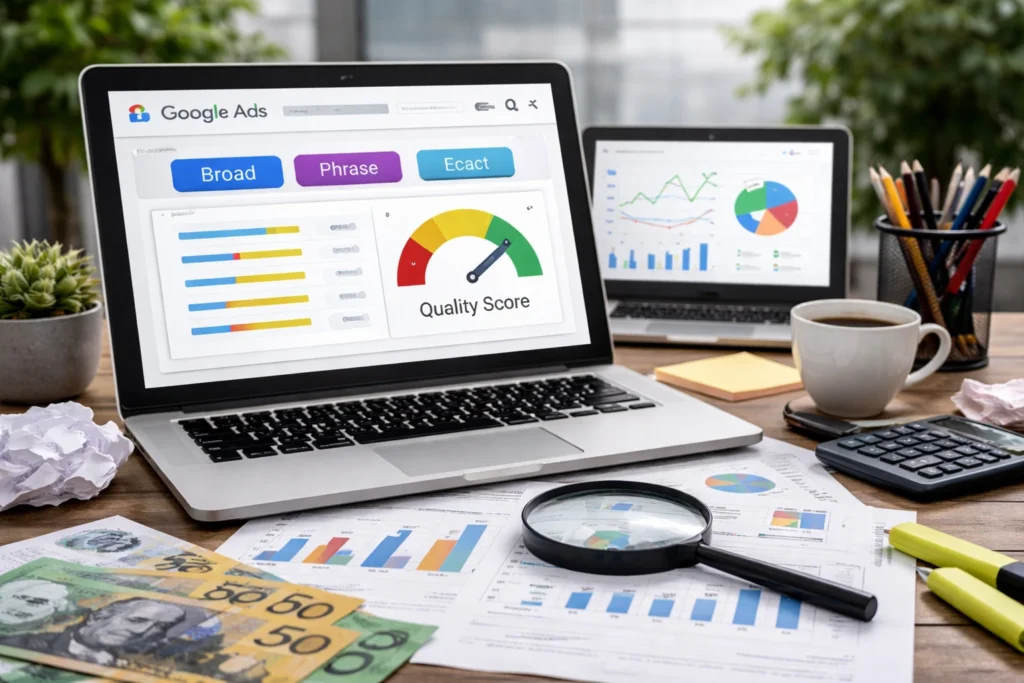
Believe it or not, a high Quality Score can considerably reduce your cost per click. Google uses a 1-10 rating to assess the relevance of your ad, keywords, and landing page.

And the higher your score, the lower your costs and the better your ad placement, as Google rewards more relevant ads with reduced fees (it’s a simple rule: relevance = savings).

Three factors determine your Quality Score. First is the expected click-through rate (CTR), which predicts how likely people are to click your ad. Second is ad relevance, and it refers to how closely your ad copy matches what someone searched for.

The third determining factor is landing page experience. It measures whether your page delivers what your ad promised.

We’ve found that most advertisers have around a 5 or 6 in the Quality Score. If you can push that to an 8 or 9, you’ll notice a difference in your costs.

Keyword Match Types and Negative Keywords

Most wasted ad spend comes from showing ads to the wrong people. That’s where match types and negative keywords give you control over which searches trigger your ads.

Broad match comes first. It casts a wide net and shows your ad for related searches. But phrase match keeps things tighter by requiring the search to include your keyword phrase. An exact match is the most restrictive and only triggers for very close variations.

Then there are negative keywords. Let’s say you sell premium running shoes. So you probably don’t want your ad showing up for “free running shoes” or “running shoe repair”. Adding those keywords as negatives will stop your budget from leaking to people who were never going to buy.

Pro tip: Test a mix of broad, phrase, and exact match keywords to see which ones deliver the best results over time.

Landing Page Experience

A slow or confusing landing page kills conversions, even if your ad copy is perfect. When someone clicks your ad, they expect to find exactly what you promised in the ad.

But if your page doesn’t deliver on that expectation or takes too long to load, the user will simply leave.

Even Google‘s own data shows that a one-second delay on mobile can cut conversions by up to 20%. That’s a big hit for something most businesses overlook. To avoid this issue, your page needs to load fast, work properly on phones, and match the promise you made in your ad.

Your content is important here as well. Like, if your ad promotes a specific product, you should direct people to that product page instead of your homepage.

Bidding Strategies and Budget Settings

One of the biggest benefits of Google Ads is the control it gives you over your spending. You decide your daily budget and maximum cost per click, and you can pause campaigns whenever you want. There are no long-term contracts or minimum spend requirements.

In our experience, starting small and scaling up works best for most small businesses. Test with a modest budget, see what performs, then put more money behind the winners (let data guide your budget).

One more thing. You can consider automated bidding once you have conversion data. Google’s machine learning will then adjust your bids in real time to get more conversions within your budget. It works well, but only after you’ve collected enough data for the system to learn from.

What Are the Main Benefits of Google Ads for Small Businesses?

A woman sits in a small business workspace and reviews campaign performance on her laptop. The scene highlights Google Ads benefits through budget controls, targeting tools, and brand visibility visuals on the screen.

The main benefits of Google Ads for small businesses are speed, budget control, precise targeting, retargeting, and brand visibility. These advantages level the playing field against bigger competitors. You can reach customers who are searching for what you sell, despite having a modest budget.

Below are the reasons why Google Ads is a powerful tool for small businesses:

  • Faster Results Than SEO: Your ads can show up in search results within hours of launching. In comparison, SEO takes months before you see real traffic, and paid ads get you leads while your organic strategy catches up.
  • Full Budget Control: You can decide your daily budget, and Google will stop showing your ads once you reach it. Since there are no long-term commitments, you can pause, adjust, or increase your budget whenever you need.
  • Precise Audience Targeting: Google will help you reach homeowners in South Brisbane aged 35 to 50 if that’s your ideal customer. This way, your budget only goes toward people who actually fit your customer profile.
  • Retargeting Past Visitors: These people have already checked out your website but didn’t buy. From our experience, retargeting them often delivers the best return because they already know you and just need a nudge.
  • Brand Visibility: Even when people don’t click, they still see your name at the top of Google. That repeated exposure adds up, and your brand becomes the familiar choice when they’re ready to buy.

The effective use of these features will help your business reach its objectives in less time.

How Do You Measure Google Ads Success?

A man sits at a desk and compares conversion tracking dashboards across two monitors. The office scene shows Ads benefits through clear analytics visuals and campaign optimisation data.

You measure Google Ads success by tracking conversions rather than just clicks. Clicks indeed show interest, but conversions indicate that people actually made a purchase or completed a form.

Now, let’s explore how to connect Google Analytics and use conversion data to improve your results.

Connecting Google Analytics to Your Campaigns

Google Analytics shows you what happens after someone clicks your ad. You just need to link your accounts, and then you can track exactly which pages visitors land on. You can see how long they stay and whether they take action as well.

This data shows which keywords and campaigns lead to sales and which ones waste your budget. And once you have the full picture, you can decide where to spend more.

Pro tip: Monitor the time on site and page views per session in Google Analytics to measure how engaged your visitors are and identify high-value traffic.

Using Conversion Data to Cut Wasted Spend

Unfortunately, clicks without conversions drain your budget fast. We’ve seen accounts where half the ad spend went to keywords that never converted a single lead (don’t let high click numbers trick you).

The solution is to check your conversion data every week. Identify the underperforming campaigns and pause them. Then, move that budget to campaigns that bring in paying customers.


Bring Ready-to-Buy Customers to Your Business

We hope this guide has helped you understand the benefits of Google Ads. With this knowledge, you can now see how high-intent keywords attract ready-to-buy customers. You also understand what factors affect your ad costs and how to measure the real results of your campaigns.

If you’re a small business owner tired of waiting months for SEO to kick in, Google Ads gets you in front of buyers right now. Start with a small daily budget, track your conversions, and scale up once you see what works.

At SlamStop, we’ve been helping businesses run profitable Google Ads campaigns for years. Contact us today to learn more about our Google Ads management services, or check out our other guides for additional tips and insights.

A marketing team is reviewing intent targeting ad performance data in an office.

Why Intent-Based Targeting Outperforms Demographics in 2026

Welcome to our guide on intent-based targeting for Google Ads.

We’ve spent years testing different targeting approaches across dozens of accounts here at SlamStop. And one of the patterns we noticed is that campaigns built around buyer intent perform better than demographic targeting almost every time (both in conversions and cost efficiency).

In this guide, we’ll discuss:

  • Why intent targeting beats demographic targeting
  • The intent signals worth tracking
  • How intent data improves Quality Score
  • Setting up intent targeting in Google Ads

Read on to learn how to squeeze more results from your ad budget.

What Makes Intent Targeting More Effective Than Demographics?

Two marketers are comparing intent data and demographic data on laptops.

Intent targeting outperforms demographics because it focuses on what people do instead of who they are.

For example, demographics tell you that someone is a 35-year-old homeowner in Brisbane. But intent data tells you that the same person searched “best Google Ads agency near me” yesterday.

In other words, one approach works based on assumptions, whereas the other actually “knows” what the potential buyer is looking for.

Here’s a comparison table between these two types of targeting:

FactorIntent TargetingDemographic Targeting
FocusCustomer behaviour and search activityAge, gender, income, location
TimingReaches users when they’re ready to buyReaches users who might buy someday
Conversion RatesOften higherLower, based on assumptions
Ad RelevanceHigh, matches user’s search intentVariable, often misses the actual interest
Cost EfficiencyLower wasted spend, higher ROIHigher waste on uninterested users

As you can see, demographic targeting casts a wide net and hopes the right people happen to see your ads. However, intent targeting works differently by waiting until someone raises their hand and says, “I need this.”

Here’s an example. A plumber who’s running Google Ads could target men aged 30-55 who own homes. That’s demographic targeting, and it might work eventually.

That said, what if they targeted people who searched “emergency plumber Brisbane” in the last 24 hours instead?

Same budget, but they’d get completely different results.

We’ve found that intent-based campaigns usually convert two to three times better than demographic targeting. That’s because you stop spending money on people who might need your service someday and focus instead on people who are already looking for it right now.

Pro tip: Use intent trends over time to predict demand spikes before they show up in sales data.

What Is Intent-Based Targeting?

An SEO expert is reviewing customer intent data on her computer.

Intent-based targeting is a strategy that uses customer behaviour signals to identify and reach people who are showing purchase intent. This approach works across Google Ads, email marketing, and personalised content campaigns.

Let’s get into more detail about different types of intent signals and the differences between data types.

Types of Intent Signals

One of the biggest benefits of tracking the right intent signals is that it helps you spend money on buyers (feels like we’re repeating, but it’s really important). Sales and marketing teams use these signals regularly to figure out who’s worth chasing and who’s just looking around.

But there’s an issue. It’s that not all signals carry the same weight. For instance, someone visiting your pricing page three times in a week shows way stronger intent than someone who skimmed a blog post once.

Don’t be discouraged, though. You can still get a clearer picture, for which you need to stack multiple signals. That’s it.

You should pay close attention to the signals below:

  • Search Queries: Words like “buy” or “best price” tell you someone’s ready to pull out their wallet. Like, a search for “emergency plumber Brisbane” beats “how to fix a leaky tap” every time. The main idea here is targeting the buyer and not the DIYer.
  • Pricing Page Visits: If someone keeps coming back to your pricing page, it means they’re not just curious browsers. We’ve seen leads who visit pricing three or more times convert at nearly double the rate of single-visit users.
  • Content Downloads: Grabbing a guide or whitepaper means they’re doing their homework before making a move. These leads respond well to follow-up emails with case studies or demos.
  • Return Visitors: Honestly, people don’t visit your site multiple times just for fun. One Melbourne retailer we know builds custom audiences from returning visitors and consistently sees much lower costs per conversion from those campaigns.
  • Time on Page: Five minutes on a product page tells a different story than a ten-second bounce. When people stick around, it usually means they’re already interested and just need a push to take the next step.
  • Cart Abandonment: When someone abandons their cart, they are almost ready to buy. Since they’ve already shown intent, you can send a simple reminder email soon after and recover many of those sales without spending more on ads.

In the end, these signals help you move at the same pace as your buyers.

First-Party vs Third-Party Intent Data

Did you know that you don’t always need expensive tools to use intent data? Your own analytics can do a lot of the work effectively.

Take a look at this comparison chart between first-party and third-party data:

FactorFirst-Party DataThird-Party Data
SourceYour website, CRM, and analyticsExternal platforms and publishers
CostFree or low costRequires paid tools
AccuracyHigh, based on direct interactionsVariable, aggregated from multiple sources
PrivacyYou own and control the dataSubject to privacy regulations
Best ForSmall businesses, retargeting campaignsEnterprise companies, cold audience targeting

We’ll explain them a bit more now. First-party data is what you collect yourself from your website, CRM, and analytics. It’s already sitting there waiting to be used.

Meanwhile, third-party providers like Bombora or Cognism pull behaviour data from external platforms. This data helps a lot when you’re chasing cold audiences. And it comes with a price tag (hint: this isn’t for small budgets).

But if you’re running a small business, there’s good news because you can build solid intent targeting using free first-party data alone. Google Analytics already tracks which pages people visit and how long they hang around. That’s more than enough to get started.

How Does Intent Targeting Improve Google Ads Performance?

A man is optimising Google Ads performance at his desk.

Intent targeting improves Google Ads performance by increasing ad relevance, which raises Quality Score and lowers your cost per click (CPC). More specifically, Google rewards ads that match what someone is actively searching for.

Put simply, more relevance means better placement and cheaper clicks.

We’ll break down the impact of intent targeting below.

Better Quality Score and Lower CPCs

A higher Quality Score means you pay less for better ad positions in the auction. Google calculates this score based on expected click-through rate (CTR), ad relevance, and landing page experience. And the best thing is that intent targeting helps with all three areas here.

But how does it work? Well, it starts with intent (duh!).

When you match your ads to what someone is already searching for, the message feels obvious rather than forced. They see what they asked for, they click, and Google reads that as relevance. This is how your Quality Score improves, which then lowers what you pay for each click.

Stronger Landing Page Alignment

The thing is, Quality Score also depends on what happens after the click. That’s when Google looks at whether your landing page delivers on the promise your ad made. A mismatch between ad copy and landing page content drags your score down fast.

However, don’t worry, because intent targeting fixes this issue by forcing you to think in specifics. When you build campaigns around search intent, you naturally create tighter landing page connections. The ad matches the keyword, and the landing page matches the ad.

Pro tip: Pair intent keywords with time-of-day bid adjustments. High-intent searches often cluster during business hours or decision-making windows.

How Do You Set Up Intent Targeting in Google Ads?

Two marketers appear to be setting up intent-based ad campaigns.

You set up intent targeting in Google Ads by using in-market audiences, custom intent segments, and keyword strategies matched to buyer search behaviour. And you can simply start with your own data before getting paid tools.

Here’s the setup process:

  • Analyse Your Site Analytics: If your pricing page or product pages get repeat visits, those users are showing buying signals. Build your targeting around these patterns.
  • Build Keyword Lists Around Intent: You must focus on terms that signal purchase readiness. For example, “buy”, “best price”, and “near me” keywords outperform generic informational searches.
  • Create Tightly Themed Ad Groups: Group keywords by specific customer intent rather than broad topics. Like, an ad group for “emergency plumber” should be separate from “plumbing services”. In general, tighter themes mean more relevant ads and higher Quality Scores.
  • Add In-Market Audiences: These are people Google already knows are researching products like yours. When you layer them onto your search campaigns, you focus your spend on users who are much closer to buying.
  • Set Up Custom Intent Audiences: Define your own targeting by entering competitor URLs, relevant keywords, or apps your ideal customers use. Doing so will give you control over exactly who sees your ads.
  • Align Landing Pages: Don’t forget to match each ad group to a landing page that delivers on the ad’s promise. It’s important because someone clicking an ad for “affordable accounting software” shouldn’t land on your homepage. Instead, send them straight to your product page.

This is what a search campaign looks like when intent leads the strategy.

In-Market and Custom Intent Audiences

Believe it or not, Google can find people who are already researching your product category without you lifting a finger. These in-market audiences include users comparing options and reading reviews. When you integrate them into your campaigns, you reach people who are already warmed up and closer to buying.

Then there’s custom intent audiences, which give you more control. You pick the keywords, URLs, and apps that define your ideal buyer (basically, you decide who counts).

For example, a Brisbane accountant could target people who’ve visited competitor websites or searched “tax return help for small business”. Since these audiences are built around a specific niche, they often perform better than broader in-market segments.

Time to Rethink Your Targeting Strategy

You now know why intent targeting beats demographics for Google Ads campaigns. It focuses on what people do and not assumptions about who they are. And that means higher conversions, better Quality Scores, and less wasted ad spend.

If you’re running a small business, start with your first-party data. Check which pages attract repeat visitors and build your keyword lists around purchase-ready search terms. Plus, layer in-market and custom intent audiences onto your campaigns once you’ve got the basics sorted.

We’ve been writing about Google Ads strategies for small businesses since SlamStop started. Browse our other guides on Quality Score, ad relevance, and campaign structure to keep improving your results.

Google Ads Mistakes

The Most Common Google Ads Mistakes and How to Fix Them

Ever launched a Google Ads campaign only to watch your budget vanish with nothing to show for it? Yeah, it happens with most businesses.

In fact, many businesses across Australia lose thousands monthly because of simple Google Ads mistakes that could’ve been avoided from day one. And the worst part is, most of this wasted ad spend comes from setup errors you can fix yourself.

We’ve worked with hundreds of businesses struggling with online advertising, and the same problems keep appearing. Wrong keyword targeting, missing conversion tracking, and poor campaign structure drain budgets faster than you’d expect.

This article breaks down the major Google Ads mistakes beginners make and shows you exactly how to stop wasting money.

Stay with us to learn where your ad spend goes and which fixes deliver real results.

Conversion Tracking: The Setup Most Businesses Ignore

Conversion tracking measures which clicks turn into sales, phone calls, or form submissions for your services. It shows you exactly what amount your ad spend produces and which customers your Google Ads account actually brought in.

The truth is, most businesses skip this step completely. They launch campaigns without proper tracking and then wonder why nothing seems to work. You’re spending money daily but have no clue which keywords bring paying customers versus window shoppers who just browse and leave.

Here’s what makes this worse. When you import conversions from Google Analytics instead of setting up native tracking in your Google Ads account, you get incomplete revenue data. The performance data doesn’t match up, and you can’t see which ads generate sales.

That’s why you need to fix conversion tracking straight away before you spend another dollar. Without it, tracking conversions properly becomes impossible, and you’re basically guessing where your money goes.

Negative Keywords: The Fast Fix for Wasted Spend

Negative Keywords: The Fast Fix for Wasted Spend

Negative keywords stop your ads from showing on irrelevant searches, which saves you money on clicks that were never going to convert.

We’ve found through hands-on work that businesses lose hundreds of dollars monthly because they never add negative keywords to their Google Ads campaigns. Your ads appear for searches like just the letter “C” when you sell printer cartridges (this happens more often than you’d think). Each useless click costs money, and the traffic goes to the wrong people entirely.

Without a negative keyword list, Google shows your ads to anyone remotely related to your product. So you need to block irrelevant searches before they drain your budget.

The good news is that this fix only takes minutes. You just open your Google Ads account, click on Keywords in the left menu, then select Negative Keywords. Add the terms you want to exclude, and Google stops showing your ads for those searches immediately.

Useful Tip: Add negative keywords weekly based on what you see in your search terms report. If you notice wasted spend on certain phrases, add them as negatives right away to stop the bleeding.

What Does Your Search Terms Report Tell You?

The search terms report shows the exact phrases people typed into Google before clicking your ad. That means it reveals what users actually searched for, showing mismatches between your intent and Google’s interpretation of your keywords.

You may even find out your coffee shop ads trigger “espresso machine repair” searches, which explains why no one buys. That’s wasted budget on irrelevant searches you never wanted.

And believe it or not, most accounts ignore this report because they don’t realise how much money it saves them. They miss both money-wasting search terms and high-performing ones to expand on.

The report basically tells you how users found your ads and whether Google understood your keywords correctly. Which is exactly why you should check your search terms weekly to spot problems early.

Once you understand what triggers your ads, you’ll notice patterns in user behaviour that point to other important issues with how your keywords are set up in the first place.

Keyword Match Types Explained for Beginners

Keyword match types control how closely a search query needs to match your keywords before your ads appear.

Google gives advertisers three targeting options: broad match, phrase match, and exact match. Each one affects how much traffic your campaign gets and which potential customers see your ads.

Let’s break down the two common mistakes people make with match types:

1. Using Only One Match Type Limits Reach

Mixing match types helps you reach more potential customers without losing control over who sees your ads. That means, if your campaign only uses exact match keywords, you need to add phrase and broad match variations to get in front of more relevant searches.

Google recommends mixing broad, phrase, and exact match keywords to balance control with reach. The right combination lowers your cost per click while expanding your targeting beyond just one approach.

Meanwhile, sticking to exact matches only means you miss variations of search terms your customers type in. While your competitors capture relevant traffic from related searches, your ads stay hidden from buyers.

2. Too Many Keywords Per Ad Group

Ad groups where you stuff with dozens of unrelated keywords make it harder for your ad copy to match what people searched for.

Cramming 40 keywords into one ad group means your Google Ads can’t match what people searched for. And when that happens, Google penalises mismatched ads with lower Quality Scores. Ultimately, it just drives up what you pay for every single click.

In our experience, keeping under 20-25 tightly related keywords per group improves how relevant your ads appear. Smaller groups help your campaign deliver better results because each ad speaks directly to what users want.

Wrong Keyword Grouping Kills Quality Score

Quality Score measures how well your keywords, ads, and landing pages match each other and the searcher’s intent. It’s basically Google’s way of grading how relevant your entire setup is to what people want.

This is where most people go wrong with their Google Ads campaign. Putting “men’s hoodies” and “blue t-shirts” together confuses Google about what your ad really promotes. Your Quality Score drops because your ad about hoodies sends people to a page selling t-shirts, which creates a mismatch that Google penalises.

Every click can cost 30-50% more when the Quality Score is low, since Google charges more for ads it thinks aren’t helpful to searchers.

The solution: perfect targeting starts with keeping related keywords together so your ads match what people searched for.

For example, create one ad group just for “men’s hoodies” with keywords like “buy men’s hoodie,” “men’s pullover hoodie,” and “hoodie for men.” Then make a separate group for t-shirts with its own focused keywords. This tight grouping tells Google exactly what you’re selling and who should see each ad.

Trust us, when you organise keywords this way, your cost per click drops noticeably, and your ad spend delivers better results.

Why Your Ad Copy Gets Ignored (And Wastes Clicks)

Ad copy is the text people read before deciding whether to click your ad or skip it entirely, and most businesses write copy that sounds like everyone else’s.

Generic headlines like “Buy Now” or “Best Prices” don’t tell target audiences why your business is different from competitors (we’ve all been there). These ads could work for any company, which means nothing catches the eye of users scrolling through Google Ads results.

Your ad lacks a clear benefit statement, so people skip it to click on ads that promise something specific to their needs. That’s where understanding consumer behaviour helps. Potential customers want to know what they get before clicking, not after.

Yet, most marketers miss this completely. They’re paying for an ad position but getting low click-through rates because the copy feels identical to every other ad. The result is wasted ad spend on impressions that never turn into clicks.

Good ad copy needs to deliver results by showing value upfront. But even the best ads fail if they send people to the wrong place.

Landing Pages That Lose You Money

Sometimes the simplest mistakes cost the most money with landing pages. You may not even realise your site is pushing away the traffic you’re paying for.

Here’s how landing pages kill your conversions:

  • Mismatched Messages: If your ad promises free shipping, but the landing page doesn’t mention it anywhere, people bounce immediately because they feel misled.
  • Mobile Problems: Most Google Ads traffic comes from phones these days (more than 62% in the second quarter of 2025). So your landing pages need to work perfectly on mobile, or you’re throwing money away. Visitors also leave when buttons don’t work, or text is too small to read on mobile screens.
  • Slow Loading: Slow loading times mean people abandon your landing pages before they even appear. In fact, 32% of users leave sites that take longer than three seconds to load. You’re paying for each click but losing conversions because the page takes forever to load.

Bottom Line: Fix your landing pages so ads and content match. When they work together, users stick around, and your Google Ads spend actually delivers results.

Landing Pages That Lose You Money

Where Does Your Google Ads Budget Go?

Most business budgets leak money through location settings, time-of-day bidding, and device targeting that wasn’t configured properly.

Let’s be real here. You set location targeting to Brisbane, but your Google Ads still show to people 50km outside your service area. That’s wasted budget on paid advertising that reaches the wrong geographic location entirely (and the damage adds up fast).

Half your ad spend drains after business hours when no one’s available to answer calls from your ads. The thing is, Google keeps running your campaigns 24/7 unless you schedule specific hours. So poor targeting like this is one of the common reasons Google Ads campaigns fail to deliver conversions.

On top of that, desktop bids match mobile bids even though mobile traffic converts at half the rate for your business. You’re spending the same amount per click on both devices, but mobile users might just be browsing while desktop users are ready to buy. That difference costs you money on every mobile click that goes nowhere.

These targeting mistakes create wasted spend you don’t even notice until you check where the money goes each month.

Start Fixing These Mistakes Today

Google Ads mistakes like missing conversion tracking, ignoring negative keywords, and poor landing pages drain thousands monthly from Australian businesses. However, you can fix each one this week and stop the wasted ad spend immediately.

Start with conversion tracking since you can’t improve a campaign without knowing what works. Then add negative keywords, clean up your keyword grouping, and match your landing pages to your ads. These changes build a stronger strategy that delivers results.

Don’t wait until down the track when your budget’s gone. Businesses that fix these Google Ads mistakes early see a strong ROI from digital advertising.

If you need help getting your campaigns running properly, contact us at SlamStop. We’ve helped hundreds of businesses across Australia turn failing campaigns around.

PPC Audit Guide

How to Audit a Google Ads Account Like a Professional

A Google Ads pay-per-click audit (shortly known as PPC audit) involves reviewing your account structure, keyword intent, and how ad spend flows through the funnel. This approach directly links campaign setup to landing page performance while identifying inefficiencies and clearer optimisation opportunities.

But it’s not that simple because most people usually focus on the less important elements and waste money. We’ve been auditing Google Ads accounts for years, so we know exactly where it goes wrong.

In this guide, we’ll walk you through the complete audit process. Plus, we’ll show you the most common issues that ruin your PPC performance and teach you how to prioritise fixes for the best output.

Read on to learn how to take control of your campaigns and improve efficiency.

How to Review Your Google Ads Performance

You review your Google Ads performance by checking seven main areas in order: conversion tracking, account structure, search terms, Quality Score, keyword match types, budget distribution, and ad copy. Most audits take two to four hours, depending on your account size.

How to Review Your Google Ads Performance

Here’s how you should audit your Ads account:

  • Conversion Tracking and Analytics: Make sure conversions trigger on the right pages after someone completes a desired action. Then connect your Google Ads account to Google Analytics so you can follow what happens next, from the initial click-through to the outcome.
  • Account Structure: Properly organised campaigns give you more control over budget and deliver higher quality scores. That’s why you need to separate campaigns by product type or target audience to prevent mixing unrelated keywords. Each ad group should target tightly themed keywords that share the same intent.
  • Search Terms Report: The search terms report shows the real phrases people type before seeing your ads, compared to the keywords you target. For example, a plumber bidding on “emergency plumbing” may appear for “plumbing courses” or “plumbing jobs”, which leads to irrelevant clicks and wasted ad spend.
  • Quality Score and Landing Pages: Your Quality Score directly influences how much you pay per click and how competitive your ads are in the auction. Higher scores often lead to lower costs and better visibility, given that your ad text, keyword intent, and landing page message are closely aligned.
  • Match Types and Negative Keywords: Keyword match types control how closely search queries relate to your targeted keywords. Broad match keywords often need negative keywords to act as a safety net. It helps keep a PPC campaign focused by refining results over time instead of relying on a fixed number at launch.
  • Budget and Bidding: You must check which campaigns use the most ad spend and how that compares to the conversion rate. Branded campaigns often bring paying customers at lower customer acquisition costs, yet many accounts still underfund them.
  • Ad Copy and Assets: Strong ad copy supported by relevant assets can improve your click-through rate by increasing relevance and clarity. We recommend including your focus keyword in headlines for better ad quality. Also, test a minimum of two ad variations per ad group consistently, and add sitelinks, callouts, and structured snippets.

When all these aspects work properly, your ads reach the right target audience and convert more potential customers.

Detailed Overview of PPC Audit

A PPC audit is a systematic review of your Google Ads account to identify wasted spend, technical problems, and missed opportunities (we discussed the techniques at length in the previous section). The goal is to find actionable insights that improve your return on ad spend.

Let’s get into more detail about the ways these audits work.

Regular Audits Reduce Wasted Ad Spend

Regular audits catch budget-draining issues before they cost you thousands in wasted clicks. They find lost budget on the wrong keywords, broken tracking, or ads showing in irrelevant searches.

We’ve found that most accounts leak one-third of their budget without anyone noticing until they run an audit.

Audits also find out which particular keywords attract potential customers versus irrelevant clicks that will never convert. For instance, a Brisbane law firm might find that they’re paying for searches like “law degree requirements” when they only want “personal injury lawyer Brisbane”.

You can also detect technical issues like broken tracking before they drain money for weeks if you perform regular checks on your Google Ads account.

Recommended Audit Frequency

The truth is, your audit frequency depends on your monthly ad spend and account complexity. In our experience, small business accounts under five thousand dollars monthly need only quarterly audits to catch issues before they become expensive problems.

Honestly, data accumulates more slowly when you’re spending less. That’s why checking every three months gives you enough information to identify certain patterns.

That said, if your account has a monthly budget of over twenty thousand dollars, you’ll need to perform checks weekly. You’ll also have to review the account every quarter to prevent budget waste at scale (especially in competitive markets).

When spending increases, a poorly set up Ad campaign can use up your monthly budget very quickly. For that reason, weekly checks help notice problems early, while quarterly reviews look more closely at strategy and account structure.

Pro tip: Run an immediate audit when your conversion rate drops suddenly, or costs spike without explanation.

What Are Common Issues Found in Google Ads Audits?

Common issues found in Google Ads audits often include poor account structure, missing negative keywords, and bidding strategies that don’t match campaign goals. From what we’ve seen, these three issues constantly appear in audits and lead to inefficient budget use.

What Are Common Issues Found in Google Ads Audits?

We’ll take a closer look at these issues.

Poor Account Structure

Believe it or not, using a single campaign for everything lowers ad quality because it mixes unrelated keywords together. So when someone searches for something specific, like “men’s running shoes”, but sees a general ad, they are less likely to click.

The same problem appears at the ad group level as well. Like, when ad groups contain more than 30 keywords (as a rule of thumb), it becomes difficult to optimise them. Why? It’s because you can’t write relevant ads for many different search intents.

But a well-organised account structure gives you more control over budget distribution. It allows you to pause underperforming ads while keeping high-performing campaigns running smoothly.

Missing Negative Keywords

If you don’t use negative keywords, irrelevant searches can trigger your ads. These incidents gradually drain your budget and reduce the overall efficiency of your ad campaign.

And the problem gets worse when you use broad match keywords without any safety net. Specifically, broad match without negatives shows ads for completely irrelevant searches that only share one or two words with your target keyword.

Take an accounting firm targeting “tax services” as an example. They might show ads for “tax refund status” or “free tax calculator”. It’ll attract people looking for DIY solutions and not professional help.

This is why you need to review search terms weekly to build comprehensive negative keyword lists. This practice will protect you from losing money.

Wrong Bidding Strategy for Campaign Goals

The right bidding strategy aligns ad spend with real business goals instead of vanity metrics. For example, Maximize Clicks bidding can waste money when conversion goals are your priority, since it focuses on volume. This way, you’ll get plenty of clicks from people who have no intention of buying.

And if you go the automated bidding way, remember that it needs sufficient conversion data first to work properly (we’ve found it to be at least 30 conversions per month). Without that volume, the system struggles to learn and often makes inefficient decisions early on.

So, match your bidding strategy to your campaign goal for the best results rather than letting Google choose for you.

How Do You Prioritise Your Audit Findings?

You prioritise audit findings by fixing urgent issues like broken conversion tracking first. After that, you should address high-impact problems like wasted ad spend and then move on to time-consuming improvements, namely testing new ad copy.

Let’s start with broken conversion tracking. You have to fix it first because you can’t measure anything without it. And when it doesn’t work, you’re spending money blindly with no idea which campaigns deliver results and which ones burn cash.

Then come the negative keywords. Deal with them next to stop bleeding your budget on irrelevant traffic. Based on our experience, it takes one to two hours to complete this task, and you’ll notice its impact almost immediately.

Another thing on the priority list is managing your Quality Score. If the score is under five, you often pay more per click because your ads are less competitive than those with higher scores. More precisely, a score of three or four signals low relevance, which means Google expects weaker alignment with what people search for.

And the penultimate one on the list is improving elements that require time, like fixing weak ad copy and optimising your dedicated landing page. These changes take more time but still deliver solid returns (and the impact lasts for a long time).

How Do You Prioritise Your Audit Findings?

Once you fix the most urgent problems, you can then focus on improving overall performance. At that point, reorganising the account structure comes last, because it takes even more time and delivers benefits gradually.

Below is an audit priority matrix to help you understand the fix order:

Issue Found

Priority

Typical Impact

Time to Fix

Broken conversion tracking

Urgent

Results can’t be measured or optimised reliably

~30 mins

Missing negative keywords

High

Significant wasted budget from irrelevant clicks

1-2 hours

Poor Quality Score (under 5)

High

Higher cost per click and reduced ad competitiveness

2-4 hours

Weak ad copy

Medium

Lower click-through rate and missed traffic potential

3-5 hours

Unorganised account structure

Low

Harder optimisation and reduced control over the budget

1-2 days

Get Better Results From Your Ads

You’ve reached the end of our guide on auditing Google Ads accounts like a professional. You now know the seven areas to check, which problems drain the budget fastest, and how to prioritise fixes based on impact and urgency.

If you’re looking for an expert to take a look at your account, don’t hesitate to reach out to our team. We’ve been managing Google Ads campaigns for years at SlamStop. Let’s refine your campaigns so every click supports your goals and call to action.

Seasonal Google Ads

How Seasonal Campaigns Can Boost Your Google Ads Results

The holiday arrives. Your competitors collect in sales like there’s no tomorrow. Meanwhile, your Google Ads campaigns just sit there gathering digital dust.

Frustrating, right? Here’s the thing: seasonal Google ads aren’t rocket science. You have to plan right and execute it at the perfect time.

In this guide, we will help you understand how to plan ads around holidays, local events, and peak shopping seasons. In the meantime, we’ll show you practical ways to grab more clicks and boost conversions. Ready to turn those quiet months into profit machines? Let’s get into it.

Why Seasonal Google Ads Outperform Year-Round Campaigns

Seasonal campaigns target the exact moments when buyers are ready to spend. So, the difference in ad conversion rates can be massive. (Holiday shoppers don’t browse aimlessly; they search with intent.)

Ever noticed your competitors seem to vanish during peak shopping seasons? You think they’re gone, but they’re not. They’re just getting cooler and advanced ideas with their ad spend.

The thing is, holiday shoppers are ready to spend money on a right-now basis. Your ads meet them exactly when they’re most likely to click that “buy” button. Want proof that this works? Google’s data reveals that advertisers who switched to optimised seasonal strategies saw conversion values jump 25% during peak holiday shopping periods.

And here’s something most businesses miss: there’s less competition during planning phases. While others struggle at the last minute, you can lock in lower costs early. Event-based marketing lets you ride these natural demand spikes without fighting for attention throughout the year.

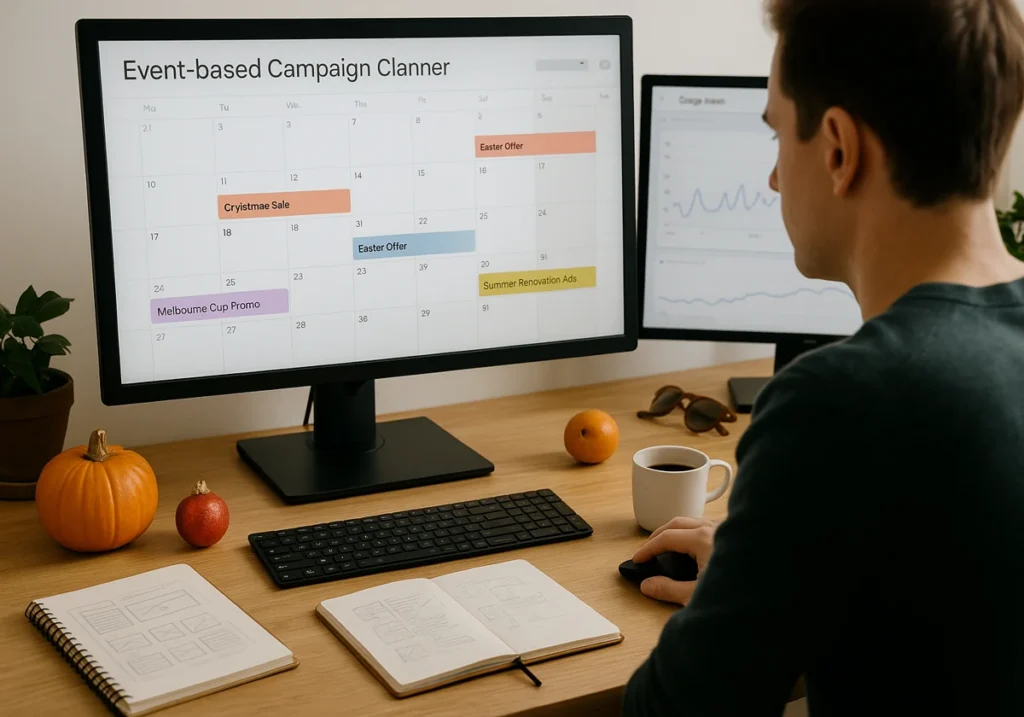
Plan Your Event-Based Marketing Campaign Calendar

Event-Based Marketing Campaign Calendar

You might be thinking now: when should I start my holiday PPC strategy? The answer might surprise you.

Most businesses wait until the event starts. But that’s already too late. If you want a proper sale, you need at least four to six weeks of lead time before major holidays hit. So, start planning now, not when everyone else panics.

To start the planning, map out the big dates for your business first. Christmas and Easter are obvious ones for retail buyers. But don’t ignore Australian-specific events like EOFY sales or Melbourne Cup promotions.

Let’s talk about the service-based businesses. They can target tax season or summer renovations. The reason is that each industry has its own goldmine moments waiting to be tapped.

Want to know how to find your market pattern? Use Google Trends, and it will spot your best-selling time. You can easily type your main services or products in Google Trends and watch when searches spike. These peaks will tell you exactly when your potential customers start planning.

From our experience, businesses that plan their event-based marketing campaign early capture more opportunities, since 30% of consumers start holiday shopping as early as October or earlier. (and trust us, they’re not waiting around for your last-minute campaigns.)

Setting Up Your Google Ads Account for Seasonal Success

Most businesses make one big mistake: they try to force seasonal campaigns into their existing account structure. This creates a messy nightmare when you’re trying to track what actually works during busy periods.

To ignore this problem, you can create separate campaigns for each major holiday or event. This strategy keeps your data clean and your budgets controlled. Another advantage is worth mentioning: you can pause, adjust, or scale these campaigns without touching them. As a result, you are always advertising.

Here’s your setup checklist:

  1. Build dedicated seasonal campaigns: Don’t mix your holiday deals with regular promotions.
  2. Configure seasonality adjustment settings: Tell Google when to expect major changes in your conversion rates.
  3. Schedule budget increases ahead of time: Always set automated rules so you don’t miss the peak rush.
  4. Enable proper conversion tracking: Know which holiday-specific ad copy can drive your sales the most.

Here’s an example: We worked with a Brisbane-based furniture store. During the holidays, they created separate campaigns for each holiday season. Instantly, it helped their Easter campaign cost decrease by 22% per conversion than Christmas. That data shaped their entire strategy for future events.

Preparing Holiday-Specific Ad Copy That Converts

Holiday-Specific Ad Copy That Converts

Holiday shoppers respond to the urgency in your ad copy. That’s why your event-based marketing language has to match the moment. Now, what kind of language works best? Well, keep reading to know.

During holiday sale periods, use words like “limited time” and “while stocks last” to trigger immediate action. These direct communications beat vague promises. These call-to-action words tell your customers exactly what they get and when the offer ends.

The reality is: a generic ad copy kills your conversion rate faster than anything else. In this case, test at least three variations of your holiday ads. Among the three, one focuses on the discount percentage, another highlights free delivery, and a third emphasises the limited availability.

Our own testing says ads with specific numbers (“Save $150”) outperform percentage-based offers by roughly 18%.

(Pro tip: match your ad copy to your landing page message. Otherwise, when customers click and see different information, they bounce faster than a kangaroo on a trampoline.)

Using Seasonality Adjustment to Control Your Ad Spend

Now, let’s talk about the features most advertisers ignore: seasonality adjustments. This tool tells your Google Ads account to expect big shifts in consumer behaviour during specific dates.

Smart bidding relies on historical data, but what happens when the holiday season throws normal patterns out the window? Seasonality adjustment solves this exact problem.

When you inform Smart Bidding that conversion rates will change dramatically during your event. Then, Google adapts your bid strategies in real time. The result? You don’t have to waste money on overbidding or missing opportunities by bidding too low.

Here’s how different campaigns respond:

Campaign Type

Normal CPA

Seasonality Adjustment

Expected CPA During Peak

Retail Products

$45

+25% conversion lift

$36

Service Bookings

$80

+15% conversion lift

$70

Last Minute Deals

$55

+40% conversion lift

$39

That’s how you can set your new seasonality adjustment at least three days before the event starts. These adjustment gives time to Google’s algorithm to learn and adapt your budgets properly. Many businesses make a big mistake by activating it too late. That’s why, when the busiest time hits, their campaigns still haven’t adjusted yet.

Capturing Last Minute Holiday Shoppers

Last Minute Holiday Shoppers

You think the shopping rush ends two weeks before Christmas? That’s not true at all.

Because we’ve seen some of the highest conversion rates happen in those final 72 hours. Sometimes, last-minute customers search, and they pay premium prices for speed and convenience. They are known as eleventh-hour shoppers.

So if you follow a few strategies, it shifts dramatically for these eleventh-hour shoppers. Focus on immediate fulfillment options like same-day delivery or click-and-collect. Put these options front and centre in your ads. Because these customers don’t care about browsing, they want solutions now.

(Pro tip: To capture last-minute shoppers, increase your mobile bids by 20-30%. Why? Because these searches happen on phones while people are out and busy.)

Believe it or not, retargeting becomes most powerful in this situation. Imagine someone visited your site earlier but didn’t buy anything. No problem! Hit them with urgent messaging about stock running low.

Start Planning Your Seasonal Wins Today

Seasonal Google Ads give you a genuine advantage when planned properly. Now, you’ve the roadmap:

  1. First, map your event calendar early for the upcoming holidays.
  2. Then, structure your Google Ads account for easy management.
  3. Craft interesting holiday-specific ad copy and test it.
  4. Finally, use seasonality adjustments to control costs.

The cost of ignoring seasonal campaigns? It’s massive. While you stick to the same strategy throughout the year, your competitors are capturing customers during their highest-intent moments.

So, pull up to your Google Ads account right now and mark your next three seasonal opportunities. Block time to create those campaigns four weeks before each event occurs. And the good news is: you are not alone in this journey.

Reach out to our SlamStop team. We help businesses to implement these exact strategies. We’ve guided dozens of companies through their first holiday PPC campaigns and watched their conversion rates climb. There’s a difference between floating it and having a solid plan that shows up immediately in your data.

Google Ads Automation

AI and Automation in Google Ads: What’s Worth Using (and What to Avoid)

Feeling lost with all the automation options Google Ads keeps throwing at you? You’re not the only one. Automated bid strategies promise to save you time and boost results. But they can also drain your ad spend if you don’t know which ones to trust.

In this guide, we will show you exactly which automation features help your campaigns and which ones need your oversight. Plus, you’ll learn how to use artificial intelligence without losing control of your budget.

Believe it or not, advertisers across Australia have used this balanced approach to improve their Google Ads performance.

Read on to discover which automation tools truly deliver results and where your business still needs human judgment.

Bidding Strategies That Bring Home Results

Automated bidding relies on machine learning to change your bids for you. No manual work required. The system tracks conversion data and adjusts faster than you could do it yourself. You just need to pick the bidding strategy that matches your goals.

AI and Automation in Google Ads

Two options work best for most campaigns:

Going for Volume with Maximise Conversions

Lead generation campaigns love to maximise conversions because it focus on getting the most sign-ups your budget allows. Every lead has similar value, so the algorithm goes for quantity. It tests different bid amounts and figures out your ideal target CPA over time.

Performance improves once you have at least 30 conversions from the past month. Machine learning needs that history to make reliable decisions.

Chasing Revenue with Maximise Conversion Value

E-commerce businesses face a different challenge. A $500 purchase matters way more than a $20 one, right? This bidding strategy focuses on total conversion value instead of just counting sales.

Set your target ROAS (return on ad spend) to guide the system. Want $4 back for every $1 spent? The bid strategy works toward that goal while keeping your ad spend in check.

Pick the bidding strategy that fits what you’re trying to achieve, and the algorithm does the heavy lifting.

Broad Match with Automation: Helpful or Risky?

Google Ads automation pairs well with broad match keywords. The combo helps your campaigns reach people you wouldn’t find on your own. What’s more, your ads show up for related search terms, and the system figures out which ones bring conversions.

But here’s the problem. Broad match can waste your budget fast if the algorithm reads your keywords too loosely. For example, a coffee shop targets “best espresso” and ends up showing ads for “espresso machine repair.”

Yes, traffic increases, but conversions stay flat.

This is why you need to check your search results regularly. Look at which queries trigger your ads every week or two. Add negative keywords when you spot irrelevant searches. We also recommend that you adjust your budget if certain terms drain money without results.

Always remember, Google Ads automation improves when you guide it.

Should You Let Google Write Your Ads?

The answer depends on your goals. Generative AI pulls content from your website and creates different ad versions for your Google Ads campaigns. The technology saves time, but it comes with trade-offs.

Should You Let Google Write Your Ads

Three things you need to know about AI-generated ads:

  • Faster testing cycles: Multiple Ad variations get created and tested automatically. You’ll collect performance data in days instead of spending weeks writing and launching each version manually. The system finds winning combinations faster.
  • Generic brand voice: Your company’s personality doesn’t translate through algorithms. Ads might bring clicks, but they sound like everyone else’s campaigns. The truth is, customers notice when messaging feels impersonal or robotic.
  • Manual work for big campaigns: Product launches need precise messaging that reflects your offer’s value. Unfortunately, AI misses those specific details. Bear in mind that marketers who review and edit the creative assets before publishing see better conversion rates than those who trust automation completely.

Automation handles some tasks well, but certain decisions still need your input.

Where Human Judgment Still Wins

Not everything in Google Ads should run on autopilot. Some decisions need someone who understands your business and knows what the data really means.

Two areas where manual control beats automation:

Adjusting Bids for High-Value Terms

High-intent search terms deserve special attention.

For instance, someone searching “buy enterprise software Sydney” has way more value than someone just looking at “software options.” What we mean by this is you can set bids higher for terms that bring qualified leads.

Reality check: the algorithm might miss those profit differences unless you step in. Yes, historical data gives some clues, but you know which conversions drive real value for your business.

Spotting What the Algorithm Overlooks

Seasonal trends affect your campaigns in ways the system doesn’t predict.

Spotting What the Algorithm Overlooks

Let’s talk about Summer sales, for instance. They look completely different from the winter performance. Your target audiences change based on local events or what’s happening in your industry. Basically, conversion tracking shows you the numbers, but only you understand what’s really driving those results.

Balancing automation with manual oversight gives you the best results.

Making Automation Work for Your Business Goals

Google Ads automation saves time when you use it right. It handles the repetitive stuff so you don’t have to. Automated bidding reacts to performance changes way faster than you could adjust things manually.

But you still need to watch your campaigns and make decisions based on what you know about your business. Keep in mind, the best results come from balance.

The best results come from balance, and that’s where SlamStop comes in. We’ve worked with hundreds of campaigns. That’s why our team knows exactly when to trust automation and when to take control.

Besides, we let the system handle bid optimisation while focusing on strategy, seasonal adjustments, and protecting your budget from wasted spend.

We specialise in Google AdWords management that mixes automation with expert oversight. Get in touch with us to see how we can improve your performance.

Google local business sign on storefront

How Local Businesses Can Outshine Big Brands With Smart Google Ads

If you’re struggling to compete with big brands on Google Ads and bring in new customers, it’s a common challenge for most small business owners. The reality is simple: you don’t need their budget to win. You just need the right approach.

In this guide, we’ll break down local business Google Ads into simple terms. You’ll know exactly how to outshine major competitors in your local area for important searches like “plumber near me” or “accountant in Brisbane”.

We’ll cover:

  • Configure your Google Ads account for maximum results
  • Which ad types actually work for local businesses
  • Effective bidding strategies that outperform large budgets
  • Target customers who are ready to buy your service

We’ve helped dozens of small businesses across Australia rank their ads and attract more customers using these exact same methods.

Read on to learn more about how to do Google Ads for local businesses the right way.

Set Up Your Google Ads Account Like a Local Pro

Most small business owners dive into Google Ads without connecting the dots between their different Google tools. Here’s your step-by-step roadmap to get everything working together:

Small business owner setting up Google Ads
  1. Create and verify your Google Ads account with local business details: Your business name, address, and phone number need to match exactly across all platforms. Google checks this stuff and rewards businesses that provide complete information.

  2. Connect your Google Business Profile for location visibility: This connection lets your ads show up in Google Maps results automatically. It’s like getting two ads for the price of one when potential customers search in your service area.

  3. Set a precise geographic targeting radius for your service area: Don’t waste ad spend on people who are too far away. A 15-kilometre radius usually works best for most local businesses, but adjust based on how far you’re willing to travel.

  4. Configure location extensions and call extensions: These show your address and phone number right in your Google search ads. Based on our experience, ads with location extensions get 30% more clicks from potential customers.

Pro Tip: Verify your Google Business Profile completely before launching any advertising campaigns. Google gives priority to verified local businesses in search results.

Once your foundation is solid, the next step is choosing ads that bring customers through your door.

Choose Ad Types That Bring Customers to Your Door

When you look at the Google Ads options, it can feel like trying to order from a menu written in another language. Let me break down the ad types that work for local businesses:

  • Search Network Ads: When customers actively search for services like yours, your ad can appear. For instance, if someone types “electrician near me,” your ad could be shown first. These ads convert well because users are already looking to make a purchase.

  • Local Campaign Ads: Instead of managing multiple campaigns, a single local campaign can cover Google search, Google Maps, and YouTube. Google automatically optimises where your ads appear based on where potential customers spend time.

  • Performance Max for Local: Using Google’s AI, this tool automatically identifies new customers across all Google platforms. You just set your budget, and Google takes care of targeting the most relevant audience for your business.

  • Google My Business Posts: These free posts allow you to share special offers, events, or services directly in your Google Business Profile. Appearing in local searches, they can drive more customers without any additional ad spend.

Local searches convert faster than any other type of advertising because people are actively looking for what you offer. When someone searches for a service nearby, they’re usually ready to make a decision quickly.

Now that you know which ads to run, here’s how to outbid competitors without breaking your budget.

Outbid Big Brands Without Breaking Your Budget

Budget fears keep most small business owners from even trying Google ads. The truth is, you don’t need to outspend competitors; you need to outsmart them. Successful local businesses beat much larger advertising budgets with these three approaches:

Local business owner analysing ads to outsmart competitors

Use Automated Bidding to Your Advantage

Manual bidding is where small businesses waste money trying to guess the right price. Instead, Google’s automated bidding systems have data from millions of searches and can adjust your bids in real-time.

Simply set up Target CPA bidding and tell Google exactly how much you want to pay for each new customer. Our team has found that automated bidding reduces wasted ad spend by up to 40% for local businesses.

Focus on High-Intent Local Keywords

Big brands target broad keywords like “plumber” that cost $15 per click. You should target “emergency plumber Brisbane,” which costs $8 but converts twice as well.

Local keywords have less competition and higher intent. What this means is that people searching for local services are ready to buy, not just browsing. Your $500 budget can compete directly with their $5000 budget when you focus on the right keywords.

Schedule Ads When Your Customers Are Most Active

Don’t run ads 24/7 like the larger businesses do. Analyse when your phone rings most often and schedule ads during those hours. If you’re a tradesperson, run ads from 7 AM to 6 PM on weekdays. This cuts your ad spend in half while maintaining the same number of customers.

Pro Tip: Turn off ads during hours when you can’t answer calls because you’re wasting money on leads you can’t convert.

The next step is making sure those ads reach exactly the right people in your area.

Target New Customers Who Actually Want Your Service

Most small business owners worry about wasted ad spend on the wrong people. The good news is that precision targeting is your secret weapon against big competitors.

Local business owner engaging nearby customers happily

Start by setting your geographic radius to exactly where you can serve customers best, then layer in demographics like age and income that match your ideal clients.

After you’ve got the basics right, use competitor audience targeting to show ads to people who are already interested in similar services.

Pro tip: Target local events and seasonal trends in your area. This approach turns every advertising dollar into potential customers who are genuinely interested in what you offer.

Make Your Google Ads Work Like a Customer Magnet

Many small business owners believe Google ads are only for companies with unlimited marketing budgets and large advertising teams. The reality is that local businesses have special advantages that bigger companies simply cannot replicate or match.

We’ve covered four essential strategies: setting up your Google Ads account properly, choosing effective ad types, using smart bidding techniques, and targeting customers who actually need your service in your local area.

Ready to compete with industry leaders? SlamStop‘s Google AdWords experts will implement these proven strategies and deliver the customer growth your business deserves.

ad conversion tips

The Psychology Behind High-Performing Google Ads

Many marketers think finding success with Google Ads depends on picking the right keywords and setting proper bids. They spend hours on technical setup but miss what truly interests people.

In reality, the best ads work because these marketers understand the way people think, feel, and decide to buy things. Over the years, we ran many campaigns and saw how two setups that looked identical on paper performed differently depending on their psychological appeal.

In this article, we’ll discuss the psychology of Google Ads and show you how to write persuasive ad copy. We’ll also learn how to boost your campaign performance with effective creatives and testing.

Want to find out what makes people interested in your ads? Let’s get started.

The Psychology of Google Ads: Core Principles

When people click your ads, they do it because you have managed to trigger their interest in some way. And no, it’s not due to the nice pictures you use or your clever wordplay. Rather, your use of psychological factors like wanting to fit in or fear of missing out (FOMO) plays a huge role.

The fact is, these psychological tricks work by connecting to what people want deep down. We all like to feel good about our choices, right? When an ad taps into that feeling, we click instantly as it promises us a small win or a bit of comfort.

psychology of Google Ads

Let’s look at how human psychology plays out in your ads.

Creating Persuasive Ad Copy with Cognitive Biases

Your brain loves shortcuts when you need to make choices quickly. Psychologists call these shortcuts heuristics, and they work much faster than careful thinking. The problem is that heuristics can also cause cognitive biases, which are mental blind spots that push your choices in certain directions without you realising it.

Take the bandwagon effect, for example. It makes us want what everyone else has. So, when an ad says, “Thousands of customers love this product,” it plays on that bias. That’s why when we see other people buying a product, we suddenly think, “Maybe I should get this too.”

Now, let’s talk about confirmation bias. This one makes people search for proof of what they already believe. For this reason, your ad copy should fit your audience’s existing values.

We’ll end with a quick example. Say you sell eco-friendly products. If you want to get the best results, don’t waste time trying to sell your product to those who don’t care about the environment. Instead, speak to the people who already care. Your words will connect better with them due to the common belief, they’ll trust you more, and are more likely to buy from you.

Essential Ad Conversion Tips Using Scarcity

Nothing pushes people to act faster than the fear of missing out. In psychology, we call it scarcity. Sometimes it’s about time, like a countdown or deadline. But other times it’s about stock, like only a few items left. Both types create pressure, and they make people act quickly.

We can look at these scarcity tactics one by one.

Time Scarcity

Time limits are the easiest way to show scarcity. When a deadline comes up, people feel the push to act now instead of waiting. You know the lines “Sale ends Friday” or “Only 24 hours left”? They spark that quick “I’d better act now” feeling.

And guess what, it works. We know of one clothing brand that saw its sales jump 250% by adding limited-time shipping deals. It’s unbelievable!

Stock Scarcity

Next up is stock scarcity. It works in a slightly different way but is just as effective. Messages like “Only 3 left” or “Low stock warning” push people to grab items before others do.

Though you have to stay honest about your limits. Our analysis has shown that fake scarcity always backfires. That’s because people can detect lies and eventually lose trust in your brand completely. But real scarcity can increase your sales by a whole lot.

Boosting Campaign Performance with Creatives and Testing

Why do some ad campaigns succeed while others flop entirely? The difference-maker here is the approach of combining great content with the right testing approach.

Sure, a strong copy and eye-catching visuals may pull people in, but that’s only the opening move. After that, testing shows you where your budget works best.

Boosting Campaign Performance with Creatives and Testing

How about we break down the way this method works in real campaigns? Keep reading.

Writing Ad Copy Examples with a Clear Call to Action (CTA)

Look, a simple ad copy might look okay, but most people tend to just skip it. Weak calls-to-action (CTA) also make them unsure about clicking, so you need clear words that speak to your audience in their everyday language.

For example, if you sell B2B software, try speaking the way business owners actually speak. But if you help families save money, use the voice of someone who understands their regular struggles.

Also, you need a CTA that tells people exactly what to do next. Skip the boring stuff like “click here” or “learn more”, and go with something stronger like “Get your free quote today” or “Start saving money now.”

From our experience, the best CTA combines an action word with a clear benefit. A quick example is “Download your free guide”. It works far better than just “Download” because people like to know what they will get when they click an ad.

Using High Quality Images to Capture Attention

When people see an image, their brain processes it much faster than words. In fact, the right image can catch attention before anyone reads a single line. Even more, a good picture makes people pause, and that first look often decides if they’ll click your ads or keep moving.

Here are the types of images that work best:

  • Product Focus: If you show your product in real situations instead of on a plain background, people find it more relatable. They can picture themselves using it, and that view changes how they think about it. The choice to buy then feels real, clear, and far more tempting.
  • Human Faces: Use photos of people showing real happiness with your service rather than stiff stock photo smiles. When viewers see such genuine reactions, they feel a quick emotional connection.

Lowering Ad Spend with Effective A/B Testing

A/B testing is a way to compare two versions of something to see which one works better. For ads, it usually means showing one group of people version A and another group version B. You can then look at the clicks or sales to see which version performs best.

Follow these steps to get reliable results from your A/B testing:

  1. Set a Clear Goal: Every good test begins with a clear goal in mind. Maybe you want more clicks, more sign-ups, or more sales. Without that clarity, the test feels scattered. For instance, testing a headline for clicks works very differently from testing a price for conversions.
  2. Change One Thing at a Time: Only adjust one part of your ad to get reliable answers. That means you can try a new headline or button colour, but not both. If too many things change, you won’t know which one actually caused the result.
  3. Keep Groups Fair: Each version of your test should go to groups that are the same size and type. Otherwise, the numbers won’t give you a fair picture. Think of it like a cake at a party, everyone only feels treated fairly when the slices are of equal size.
  4. Run the Test Long Enough: You need to run tests for longer because quick results can be misleading. For example, one busy day of traffic might make an ad look like a winner, but that spike could just be luck. When you keep the test running for a week or two, the numbers settle and give you results you can trust.
  5. Look Beyond Clicks: Clicks only tell part of the story, so you need to dig deeper. The real answers come from sign-ups, sales, and people coming back. Consider a headline that pulls in plenty of clicks but brings almost no sales. If you check those bigger numbers, you’ll see which version truly helps your business.
  6. Use What You Learn: Once you find a winner, apply it right away. Then plan another round of testing. Each cycle should build on the last and improve your results over time.

Digital Marketing and User Mindset

People think in different ways depending on the platform they’re on. For instance, someone scrolling through social media acts nothing like someone searching on Google.

Digital Marketing and User Mindset

When you understand these changes in mindset, you can write ads that fit each platform better. Let us explain what each mindset looks like.

Reaching a Custom Audience Through Facebook Ads

Facebook users usually scroll in what we call “discovery mode.” They check out photos, watch videos, and browse without searching for anything in particular. And when your ad shows up on their feed, it has to catch their attention quickly.

Now, your main goal on Facebook should be to avoid being pushy and make your ad feel like normal content. That’s why strong visuals and curious headlines work so well; they give people a reason to pause and take a look at your ads.

From what we’ve seen, the best Facebook ads create interest in products people didn’t even know they needed. In other words, the ad plants the idea and builds the demand on its own.

Adapting Copy for Instagram Ads and Google Search

How do Instagram users behave compared to searchers on Google? In many ways, they act more like Facebook users. On Instagram, people scroll through photos and stories looking for inspiration and fun rather than quick solutions. So, your ads need to match naturally into their visual feed.

On the flip side, people switch into problem-solving mode on Google. Say someone types “emergency plumber” or “best running shoes”. They already know what they want.

Not only that, but ads on Google speak directly to the searcher’s exact query. Like, if they search for “cheap car insurance,” your ad copy should mention affordable rates and quick quotes. Always try to match their language and solve their specific problem immediately.

TL;DR: Social media is for discovery, while Google is for finding answers fast.

The Psychology That Gets People Clicking

We’ve covered a lot of ground in this article, so let’s wrap things up with the main points.

We talked about cognitive biases, like the bandwagon effect and confirmation bias, and how they help you write natural copy. We also looked at how scarcity creates urgency. Plus, in the last part, we saw how people think differently on social media and on Google.

Do you want help from experts to implement these psychological strategies in your Google Ads? Contact us at SlamStop today. We’ll show you how to apply these techniques to boost your campaign performance and get more customers clicking on your ads.